

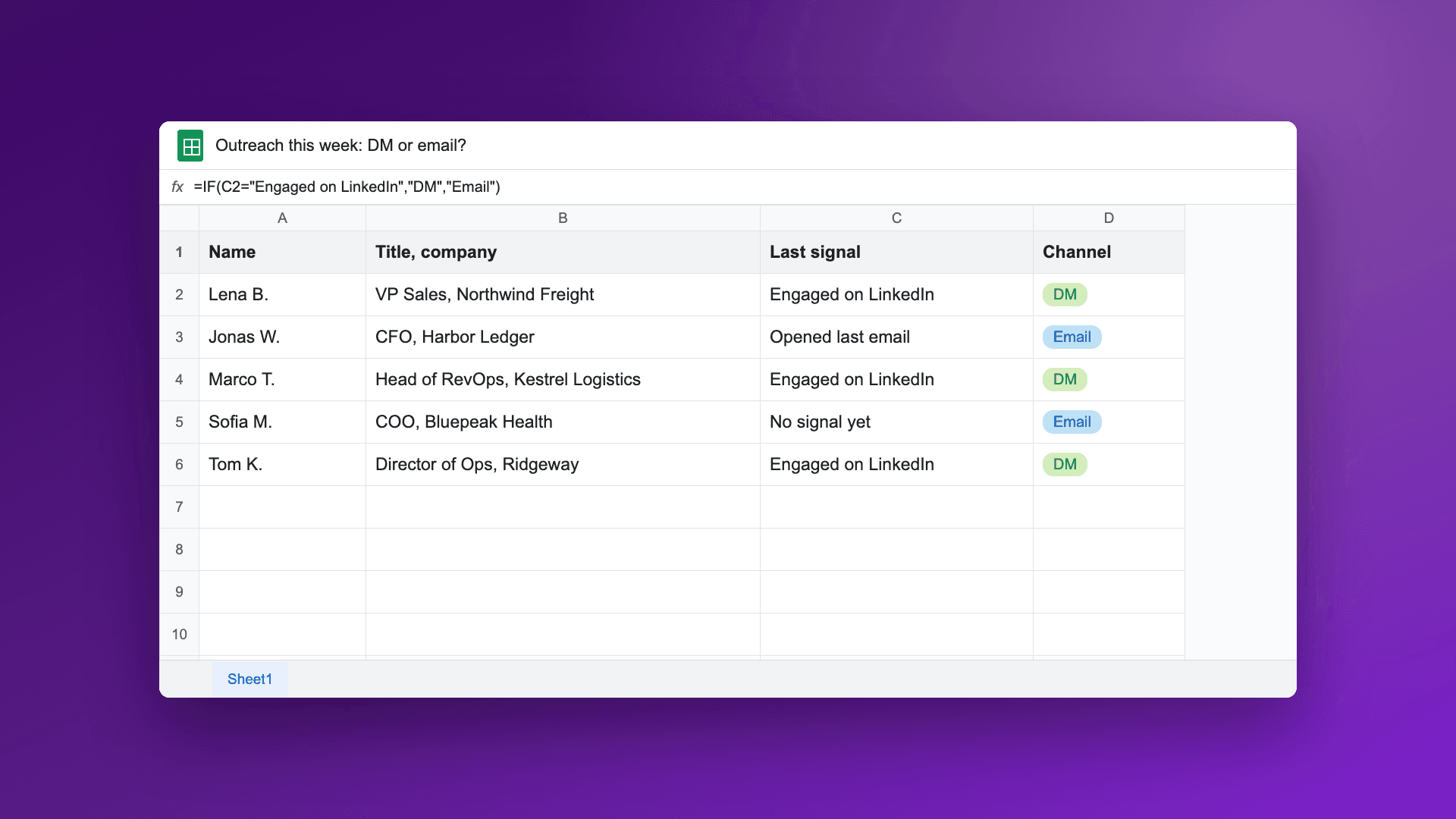
Short answer: A cold email gets deleted, archived or ignored, and nobody scrolls back to it. A LinkedIn DM stays in the thread with your name and photo on it, and it's there every time that person opens a conversation with you. After 60 minutes you can't delete it from their side. So write DMs the way you'd talk to someone you've met: short, about them, one follow-up at most, no sequence. And get your name known before you write, by posting and engaging where your buyers are. Teamfluence shows you who already engaged with your team on LinkedIn, so your first DM goes to someone who knows your name.
Last updated: 27 November 2026
Our CEO, Steven Morell, said this on a call with a team that runs LinkedIn content for executives:
"Direct messages don't disappear. Cold emails disappear. ... I sometimes open a LinkedIn profile and go like, [expletive], I cold pitched them in 2017. What do I say now? It's still sitting there."
He had a reason to open that profile. Maybe the person had become a good fit, or he'd met them since. And right above the box where he'd type, there was an old pitch he'd forgotten about.
This post covers what happens to a DM after you send it, why the sender's name matters more than the copy, what to write instead of a cold pitch, and how many follow-ups to send.
What happens to a LinkedIn DM after you send it?
It stays. LinkedIn lets you edit or delete a sent message within 60 minutes of sending it (LinkedIn Help). After that, the message is part of the thread.
Deleting the whole conversation doesn't help either. LinkedIn says that when you delete a conversation, "it'll be removed from your inbox and not from the recipient's" (LinkedIn Help).
So every message you send becomes part of the record between you and that person. If you message them again next year, they'll see your new message right under the old one.
Steven's point about executives, from the same call: "if your executive sends a cold direct message sequence to some important contact that sits there in the direct message inbox forever." For agencies running executive branding, that's a client relationship at stake, sitting in someone else's inbox.
Why do cold emails get away with it?
Because they disappear. A cold email lands in a busy inbox, gets skimmed or skipped, and sinks under newer messages. If the person doesn't reply, they rarely see it again. When you email them next year, there's no old pitch sitting on top of the new one.
That's why cold email habits grew up the way they did: high volume, templates, a sequence of follow-ups that runs until someone replies. In email, the misses mostly vanish.
In LinkedIn DMs, every miss stays in the thread, attached to your name and face.
Why does the sender's name matter more than the copy?
On a call with the founder of a B2B services firm, Steven said the number one reason somebody opens, reads and answers your email is "the sender's name." He ranked it above the subject line and the sales copy.
The same goes for DMs. If the name means something to them, they read the message. If it doesn't, the best copy in the world gets skimmed and ignored.
So the work starts before the message. Get your name in front of the people you want to talk to:
- Post about the problems they have.
- Comment on their posts with something useful.
- Like and react where it fits.
- Connect with a short note about something they wrote.
A customer at a B2B software company described their goal for target accounts like this: "we want to warm them up, get familiar with our brand, see us commenting or liking or even connecting with them on LinkedIn."
Passive reach isn't enough on its own. A marketing lead at a B2B mobility company told us that when someone just scrolls past your content, "I don't think you will remember our name." Your name sticks when they do something: like a post, comment, visit your profile. That's when to write. See how to read LinkedIn profile views.
What should a LinkedIn DM look like instead?
Like a message to someone you'd say hello to at a conference. Steven's version for a profile visit:
"Hey, saw that you checked out my profile, so I checked out yours. What is it that your company does?"
What makes it work:
- It gives a real reason for writing.
- It asks about them.
- It's short enough to answer from a phone.
- It has no link, no calendar, no attachment.
If they reply, keep the conversation going. Steven's flow from the same call: after they answer, wait three days and share something useful, like a guide or a checklist that fits what they told you. Three days later, ask if it was helpful. Bring up a call only when they describe a problem you solve.
If they ask what you do, tell them. That's the moment you've earned.
How many follow-ups should you send on LinkedIn?
One. If they don't reply to your first message, send one follow-up later, ideally when they've done something new, like engaging with another post. Then stop.
That's our own rule. In our outreach we stop at the connection note and one follow-up after they accept. People can tell when they're in a sequence. In email, an ignored sequence fades. In a DM thread, every step stays stacked on top of each other, waiting for the day you have a real reason to write.
Cold email vs LinkedIn DM: what's different?
| Cold email | LinkedIn DM | |
|---|---|---|
| After you send it | Lands in a busy inbox, usually sinks | Stays in the thread between you two |
| Can you take it back | Depends on the email tool | Edit or delete within 60 minutes (LinkedIn Help) |
| When you write again | The old email is rarely seen | The old message is right above the new one |
| What they see next to it | Your name and email address | Your name, photo, headline and profile one click away |
| What gets it read | The sender's name | The sender's name, and whether they've seen you around |
| How to write it | Short, clear, one ask | Short, about them, no pitch in the first message |
| Follow-ups | A short sequence is common | One, then stop |
How does Teamfluence help with LinkedIn DMs?
Teamfluence collects the people who like or comment on your team's posts, visit your profiles, follow you or your company page, send connection requests, or engage with your ads. Its AI agent scores each person from 1 to 5 against your ICP and gives a one-line reason.
That changes who gets your DMs. Instead of messaging a list of strangers, you write to people who already engaged with someone on your team, and you know what they did. The message goes from the person they engaged with, or from the account owner.
Qualified people go to HubSpot, Salesforce, Slack, a CSV, or other tools through webhooks and the API. Your team writes and sends the DM. Teamfluence doesn't send messages for you.
- Best for: teams and agencies where founders, execs, corporate influencers or reps post on LinkedIn and want their DMs to go to people who already know their name.
- Less suited if: you want a tool that sends DM sequences at volume. Teamfluence doesn't do that.
- Price: you pay for leads, not seats. See pricing.
FAQ
Can I unsend a LinkedIn message? Within 60 minutes of sending it, yes: you can edit (text only) or delete it (LinkedIn Help). After that, it stays in the thread.
If I delete the conversation, does the other person lose it too? No. Deleting a conversation removes it from your inbox, not from theirs (LinkedIn Help).
I already sent someone a cold pitch on LinkedIn. What now? Wait until you have a real reason to write, like a post of theirs or a visit to your profile. Then write about that. Don't pretend the old message isn't there, and don't follow up on the pitch.
Should my executives send DMs themselves? If they're the ones posting, yes. Their name is the one people recognize. If an agency or assistant drafts for them, the same rules apply: short, about the other person, no sequence. See how to build a social selling team on LinkedIn.
Is cold email dead? That's not what this post says. Email works differently, so it gets written differently. For the cost per reply of warm vs cold, see warm leads vs cold leads.
Who should I DM first? People who fit your ICP and already engaged with your team: liked a post, visited a profile, followed your page. See LinkedIn engagement signals, ranked.
Write to people who know your name
If your team or your clients' executives post on LinkedIn, we can show you who already engaged, which of them fit your ICP, and who on your team should write first. Talk to sales and we'll walk through it on your own team's data.
Related: Warm leads vs cold leads · How to turn LinkedIn post engagement into leads · How to see who viewed your sales team's LinkedIn profiles