

Short answer: LinkedIn shows profile viewers only to the person whose profile it is. A free account sees its three most recent viewers from the last 90 days, Premium sees the full list for up to 365 days, and nobody sees people who browse in private mode. There's no LinkedIn screen where a manager sees who viewed the whole team. You have two ways to get one list: each rep copies their viewers into a shared sheet once a week, or a tool like Teamfluence collects profile visitors from every rep automatically, filtered to your ICP or target accounts.
Last updated: 22 October 2026
A buyer doing research rarely looks at one person. They look at the rep who emailed them, then that rep's manager, then your CEO. Three profiles, three notification feeds, and nobody on your team sees that it was the same person.
A commercial lead at a consultancy put it simply on a call with us this month: "A like on a post is one thing, but a profile view is quite a bit different." A like can be a friend being polite. Three visits to your team's profiles in one week is someone checking you out before they decide anything.
This guide covers what LinkedIn shows each person, why a manager can't see it, how to build the team list by hand, and the tools that do it for you. LinkedIn facts link to LinkedIn's own help pages, checked on 22 October 2026.
What does LinkedIn show each person about their profile viewers?
It depends on the account. From LinkedIn Help:
| Free (Basic) | Premium (Career, Business) | |
|---|---|---|
| Viewers you see | The three most recent viewers in the last 90 days | The full list, for up to 365 days |
| Filters | None | Date range, company and more |
Two catches. The free list only shows if your own profile viewing option is set to show your name and headline. And what you see about each viewer depends on their settings, not yours. LinkedIn's viewing options are:
- Your name and headline: you see their name, headline, location and industry.
- Private profile characteristics: you see something like a job title, company, school or industry, but no name.
- Private mode: they show up as "LinkedIn Member". LinkedIn says you can't see these names "even if you have a Premium account."
No tool changes that last one. A viewer in private mode stays anonymous everywhere.
Can a sales manager see who viewed the team's profiles?
Not on LinkedIn. Each viewer list belongs to the person whose profile it is. A manager sees their own viewers and nobody else's.
Sales Navigator doesn't solve it either, as far as LinkedIn's own pages say. Its plans page lists TeamLink (warm intros through your team's connections), team activity reports and CRM sync for the Advanced plan ($159.99/month). It doesn't list a shared view of who visited each seller's profile.
The closest thing LinkedIn offers is for your company page, not your people. A Premium Company Page shows admins up to one new visitor's details a day (name, title, company), kept for up to 365 days. A free page shows the job title and company of some visitors. Useful, but a buyer researching your reps doesn't show up there.
How do you see the whole team's profile viewers by hand?
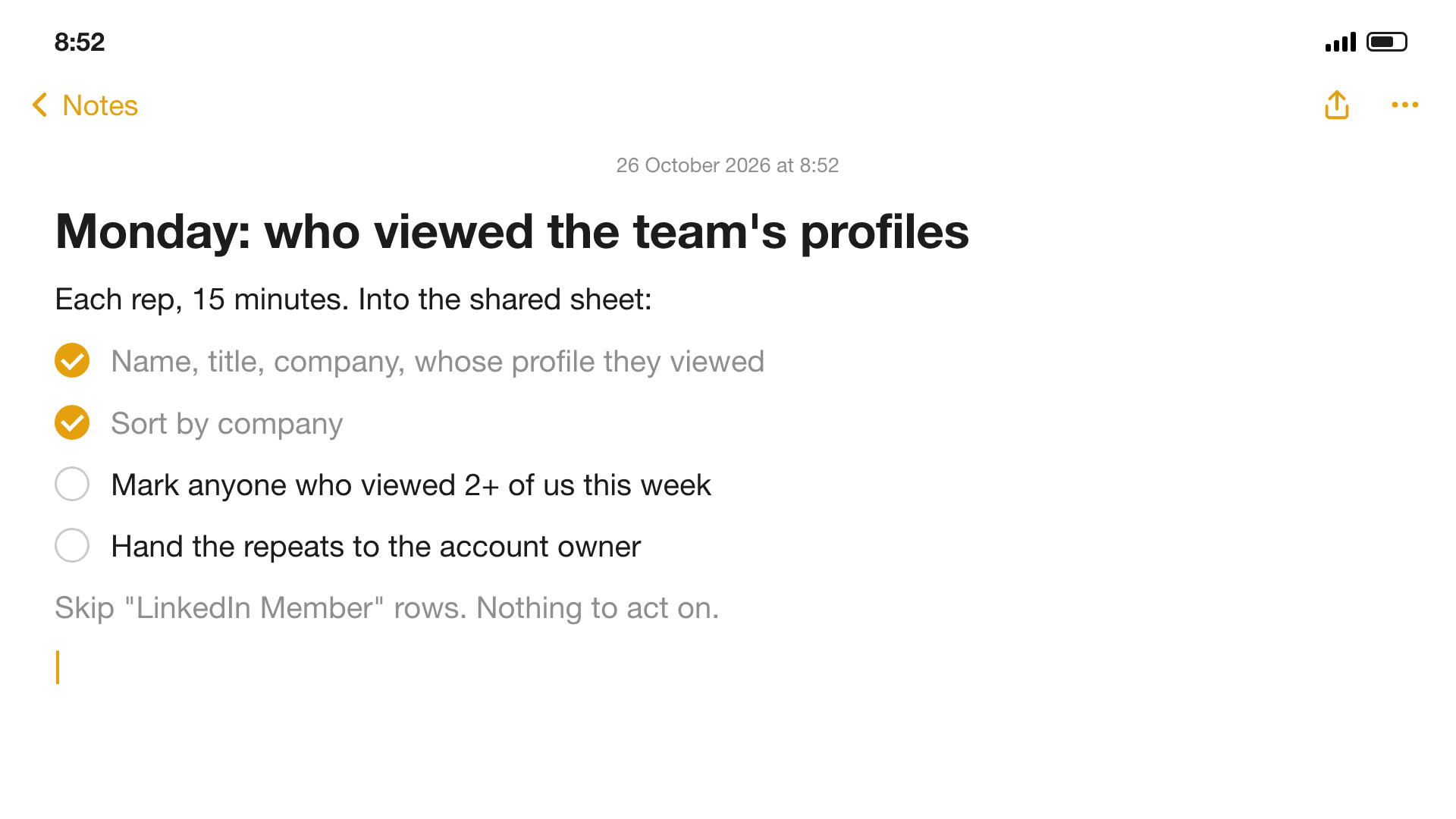
With a shared sheet and 15 minutes every Monday. It works for a team of three to five reps.
- Every rep opens "Who's viewed your profile" on Monday morning. On a free account, only the last three viewers show, so a rep with a busy week should check twice.
- Copy each viewer into one shared sheet: name, title, company, and whose profile they viewed. Skip "LinkedIn Member" rows: there's nothing to act on.
- Sort by company. Two people from the same company viewing your team in one week is worth more than either view alone.
- Mark repeats. The same person on two or more reps' lists, or the same company on three. Those go to the top.
- Hand each repeat to the account owner, with what the person looked at and when.
The limits show up quickly. Free accounts lose viewers after three. It only works if every rep does it every week. And by Wednesday the sheet is out of date, while the buyer's attention lasts a few days.
Which profile viewers are worth a follow-up?
Most viewers aren't buyers. Recruiters, peers, ex-colleagues and competitors look at sales profiles all the time. Five checks separate the ones worth a call:
- They fit your ICP: the title, seniority and company you sell to.
- They work at a target account, if you have a list.
- They viewed more than one person on your team.
- It was recent: this week, not last month.
- It stacks: they also liked a post, followed your company page or accepted a connection.
One view from a good fit is a hint. Two or three of these together is a reason to reach out. When you do, don't open with "I saw you viewed my profile." Use the view as timing and start a normal conversation about them. More on reading a single view in what a LinkedIn profile view actually tells you.
Ways to see your team's profile viewers, compared
| Whose viewers | One list for the team | Filter to ICP or accounts | Into your CRM | Cost | |
|---|---|---|---|---|---|
| LinkedIn free | Your own, three most recent | No | No | No | Free |
| LinkedIn Premium | Your own, up to 365 days | No | Filters by company and date | No | Premium subscription |
| Sales Navigator Advanced | Team viewer list not listed on the plans page | Team activity reports | Not for viewers | CRM sync listed | $159.99/month |
| Premium Company Page | Company page visitors, not your reps | Page only | No | No | Premium Company Page subscription |
| Shared sheet (by hand) | Every rep who fills it in | Yes | By hand | By hand | 15 minutes a week per rep |
| Teamfluence | Every team member you add, plus company page followers | Yes | ICP score + target account list | HubSpot, Salesforce, Slack, webhooks | From $299/month (pricing) |
| Postbeam | Your team's profiles | Yes | ICP filters | Export to HubSpot, Salesforce, CSV | $39 per seat/month (2+ seats) |
"Not listed" means the company's own site doesn't say, as of 22 October 2026.
How does Teamfluence show profile viewers across the team?
Each person on your team connects their account to one Teamfluence workspace. Profile visitors from every rep land in one list, next to the other things people do: likes and comments on the team's posts, new connections, and followers on personal profiles and the company page.
Then it sorts out who matters, three ways: you review by hand, an AI agent scores each person 1 to 5 against your ideal customer and writes one line on why, or you upload your target accounts and only those companies count.
The ones that qualify go where your team works: HubSpot, Salesforce, Slack, a webhook or your AI agent (API and MCP). Each person carries what they did and when, so "viewed three of your reps' profiles this week" is on the record when the rep opens it.
Postbeam covers profile views too: its site says "every like, comment, and profile view is captured and filtered against your ICP", with a one-click export to HubSpot, Salesforce or CSV (postbeam.ai). It's built around writing and scheduling posts, so it fits teams that want help posting as well.
FAQ
Can I see who viewed my coworker's LinkedIn profile? No. Only the person whose profile it is can see their viewers. They can share the list with you, by hand or by connecting their account to a team tool.
Can you see who viewed your profile in private mode? No. LinkedIn shows them as "LinkedIn Member" and says you can't see their names even with Premium (LinkedIn Help). No tool can either.
How many profile viewers does a free LinkedIn account show? The three most recent viewers from the last 90 days, if your own profile viewing option shows your name and headline (LinkedIn Help).
Does Sales Navigator show who viewed my team's profiles? LinkedIn's plans page doesn't list it. Advanced lists TeamLink, team activity reports and CRM sync. If a team viewer list matters to you, ask LinkedIn before you buy.
Should a rep message someone who viewed their profile? Yes, if the viewer fits and the view is recent or repeated. Just don't mention the view. Lead with something about them.
How fast should we follow up? Within a few days. A view from this week means someone is looking now. More in the 48-hour rule.
See it on your own team
If several people on your team sell and post, and you want one list of who's been looking at them, filtered to your buyers: talk to sales and we'll show it on your own team's data.
Related: What a LinkedIn profile view actually tells you · LinkedIn engagement signals, ranked · Best tools to see who engages with your team's LinkedIn posts