

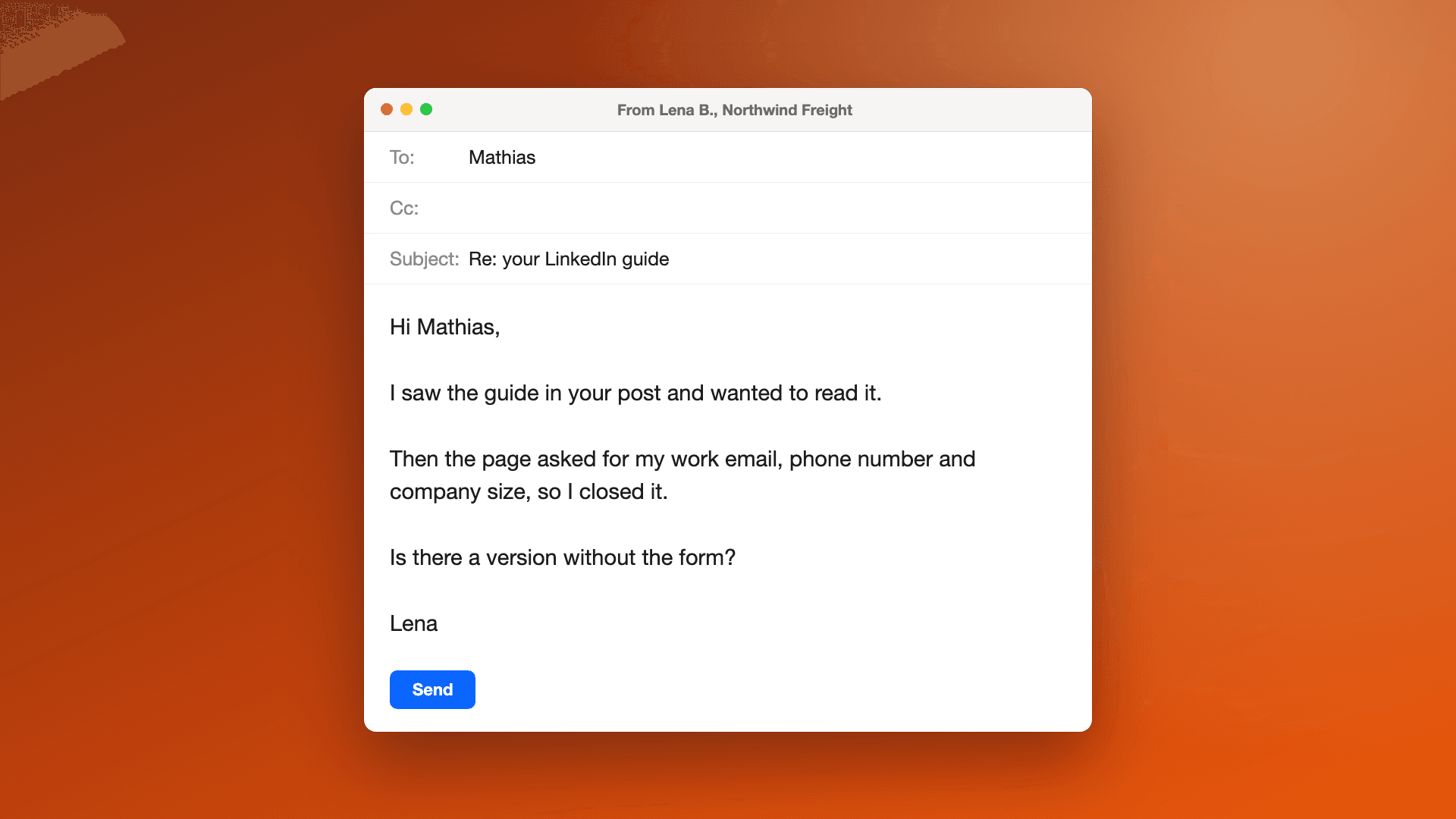
Short answer: For most B2B lead magnets, no. Put the guide on an open page as a PDF anyone can download, and name it after the question your buyer asks, like "How to pick a CRM for a small sales team." Share it with a UTM link per channel or post so you know where readers came from. You find out who's interested from the people who ask for it, comment on the post that shares it, or visit your profile after. Keep a gate only for something serious buyers want and you'll call every one of them about. Teamfluence shows you who engaged with the posts that shared your guide, scored against your ICP.
Last updated: 26 November 2026
For years the deal was simple. You wrote a guide, put it behind a form, and traded the download for an email address. Our CEO, Steven Morell, put it this way in one of our team calls: "lead magnets used to be for people who come to the website and then fill out a form and get a download." Then he added: "I think lead magnets are now for AI. Absolutely."
This post covers why the gate costs more than it used to, how to share an open guide and still learn something, when a gate still makes sense, and one play for turning a long piece of content into a list you own.
Why gate a lead magnet at all?
The form gives you a name and an email. Marketing counts it as a lead, and sales gets a list to call.
The trouble is what happens next. Someone who downloads a checklist wanted the checklist. If sales calls them the next day, they get a pitch they didn't ask for, and you learn to distrust your own lead numbers. A form fill is a content download. It's an early signal, the same as a like on a post.
What changed for B2B lead magnets?
Two things.
Buyers ask AI assistants first. A buyer with a problem types the question into a chat assistant or a search engine. The answer is built from pages the assistant can read. A crawler can't fill out your form, so whatever sits behind it can't be read or quoted.
Guides get shared in DMs and comments. On LinkedIn, people pass resources around in direct messages, or ask for them with a "comment and I'll send it" post. A form between the link and the PDF adds a step nobody wants in a DM.
Steven's advice on the same call: "If you name this thing [a] how to question... make it as a downloadable PDF." The name matches what buyers type. The PDF is easy to read, save and pass on.
How do you share an ungated lead magnet and still know what worked?
Put the PDF on its own short page on your site, with a clean URL. Then give each place you share it its own UTM link. A UTM is a tag at the end of a link that tells your analytics where a visit came from.
One link per channel or post, never per person:
- yourcompany.com/crm-guide?utm_source=linkedin&utm_medium=post&utm_campaign=crm-guide
- yourcompany.com/crm-guide?utm_source=linkedin&utm_medium=dm&utm_campaign=crm-guide
- yourcompany.com/crm-guide?utm_source=newsletter&utm_medium=email&utm_campaign=crm-guide
Keep them lowercase, use hyphens, and don't put names or email addresses in a UTM. Your analytics will tell you which channel and which post sent readers. It won't tell you who they were.
For the who, look at the people around the guide:
- People who asked for it. If you shared it on request in DMs or comments, you know exactly who has it.
- People who engaged with the post that shared it. Likes, comments, and profile visits after the post. Sort them by fit. See how to qualify people who like your LinkedIn posts.
- People who reply. Steven's follow-up on a call with a founder: send the guide, wait three days, then ask if it was helpful. That question gets more answers than a meeting request.
When should you still gate a lead magnet?
When both of these are true:
- The asset is something only serious buyers want, like a custom assessment or a calculator built on their own numbers.
- Someone will follow up with every form fill, personally, soon after.
If nobody will call, the form only collects emails for a newsletter. In that case, ask for the newsletter sign-up on the page and leave the PDF open.
If you want the form inside LinkedIn instead of on your site, LinkedIn's Lead Gen Forms work with document ads. For the lead gen objective, the document has to be a PDF, and the form can have up to 12 fields, including up to 3 custom questions (LinkedIn Help).
Gated, ungated, or on request: which fits?
| Gated (form on your site) | Ungated PDF on an open page | LinkedIn document ad with Lead Gen Form | Shared on request (DM or comment) | |
|---|---|---|---|---|
| Who can read it | Only people who fill the form | Anyone with the link | People who see the ad and fill the form | People who ask |
| What you learn | What they type in the form | Which channel and post sent readers (UTM) | What they type in the form | Exactly who has it |
| Can search engines and AI assistants read it | No | Yes | No | Only if the link is open |
| Best for | High-intent assets with personal follow-up | Most guides, checklists and how-tos | Paid reach to a defined audience on LinkedIn | Founder and exec posts, small audiences |
How do you turn one big piece of content into a lead list you own?
On a call with an M&A advisor who has written books, Steven sketched a play that uses an ungated guide as the offer and LinkedIn as the way in. It works for anyone with a book, a long report or a big guide.
1. Cut the book into posts. Steven: one book is "a year full of content for LinkedIn posts and blog posts and newsletters."
2. Put a small budget behind one post. "You can take a post, and you can spend 50 or $100 a week on it, and have that post appear in the timeline of the right people. It says sponsored post, but nobody pays attention to this. It looks like a post." Check the floor before you plan: LinkedIn's minimum is $10 a day per ad set, or $100 for a lifetime budget (LinkedIn Business). If the post is from a person, a Thought Leader Ad keeps it as their post, with no CTA button, and links in the post stay clickable (LinkedIn Help).
3. Write it to invite replies. End the post with a question, like the one Steven suggested: "Is anyone out there seeing the same thing?"
4. Collect who engaged. Likers, commenters, people who visit your profile and your company page after the post. Keep the ones who fit.
5. Say hi, then offer the guide. Thank them for engaging with the post, ask a question about their work, and later offer the PDF. Then: "was that helpful?" If yes, suggest coffee, a Zoom, or a phone call.
6. If they say no to a call, ask to stay in touch. Ask permission to send an occasional market update. Steven's point: that builds a list "that you own and that is not on rented territory."
His warning for all of it: "start this slow and carefully because you don't wanna burn contacts."
How does Teamfluence help with lead magnets?
Teamfluence collects the people who like or comment on your team's posts, visit your profiles, follow you or your company page, or engage with your ads. Its AI agent scores each person from 1 to 5 against your ICP, with a one-line reason. So when a post shares your guide, you see which of the people who engaged are worth a message, and who on your team should send it.
Qualified people go to HubSpot, Salesforce, Slack, a CSV, or other tools through webhooks and the API.
- Best for: teams sharing guides through founder, exec or rep posts who want to know which readers fit their ICP.
- Less suited if: you want a form builder or a tool that hosts and gates PDFs. Teamfluence doesn't do that.
- Price: you pay for leads, not seats. See pricing.
FAQ
Won't I lose leads if I remove the form? You'll lose form fills. Many of those were people who wanted the PDF and weren't ready to talk. You keep the signals that matter more: who asked for it, who engaged with the post, who replied.
Should I put a UTM link per person to see who opened it? No. Keep UTMs per channel, post or campaign, and don't put names or emails in links. Learn who's interested from engagement and replies instead.
What should I name my lead magnet? After the question your buyer types. "How to ..." is a good start. Steven's rule from our team call: name it as a how-to question.
Is a PDF better than a web page? Do both. Put the text on the page so it can be read and quoted, and offer the PDF for people who want to save it or forward it.
How do I follow up with people who downloaded it? If you know who they are, ask if it was helpful. Offer a call only if they describe a problem you solve. More on the first message in how to turn LinkedIn post engagement into leads.
How do I measure whether the guide brought pipeline? Track which posts and channels sent readers, who engaged around them, and which of those people became meetings. See how to measure the ROI of founder-led content on LinkedIn.
See who your guide reached
If your team shares guides on LinkedIn and you want to know which of the people who engaged fit your ICP: talk to sales and we'll show it on your own team's data.
Related: How to turn LinkedIn post engagement into leads · How to qualify people who like your LinkedIn posts · How to push LinkedIn engagers into your CRM