
The Keywords section lets you monitor words and phrases across your tracked Profiles. Pulse finds posts that mention them, and you choose which of those posts to track so you catch everyone who engages. Like influencers, it works hand in hand with post tracking and feeds your People view.
Add a keyword
- Click Add keyword.
- Enter the keyword or phrase you want to monitor. This can be a single word or a short phrase.
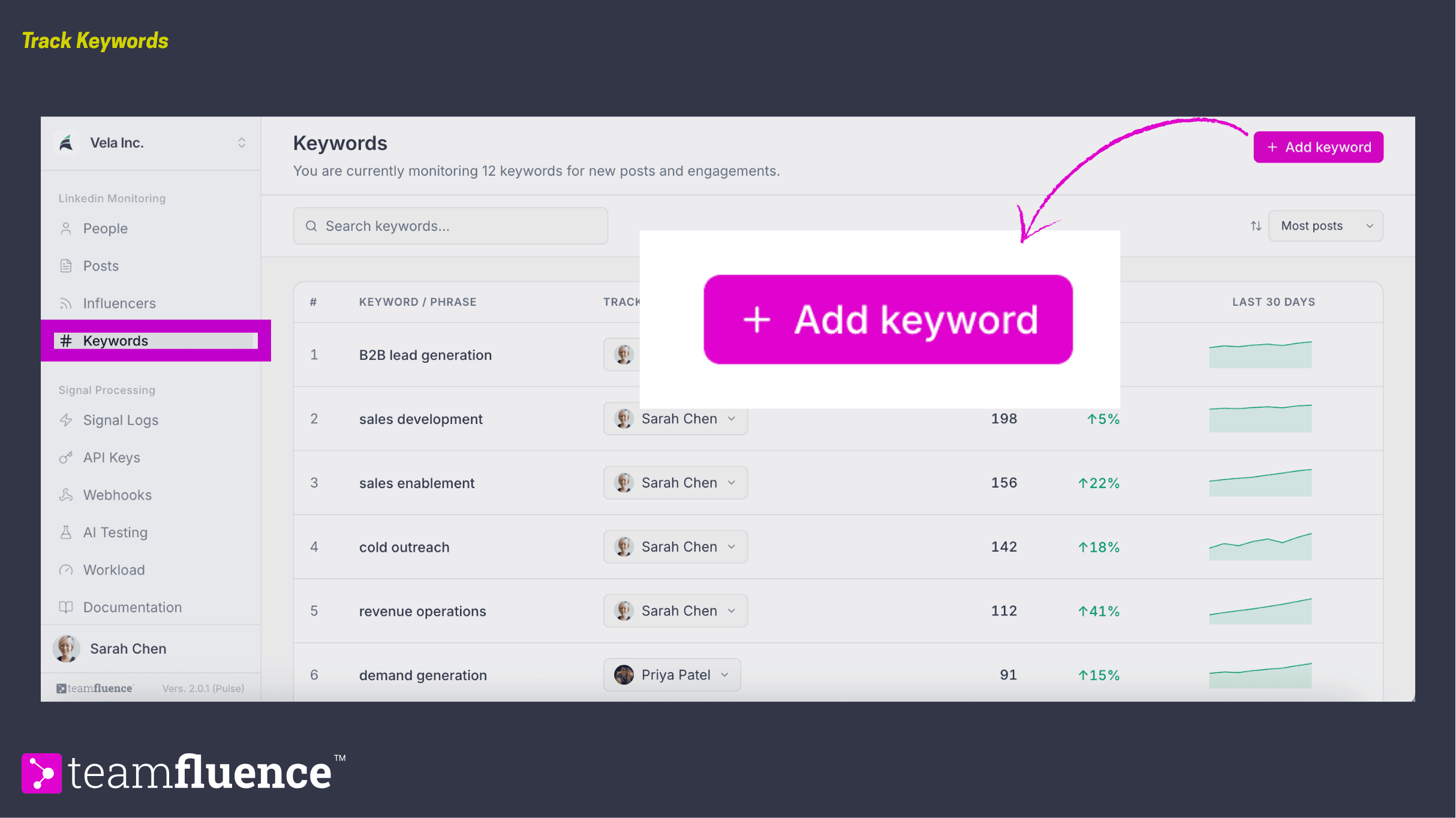
Pulse starts finding posts that mention it. The count at the top of the section shows how many keywords you are monitoring in total.
Reading the keywords list
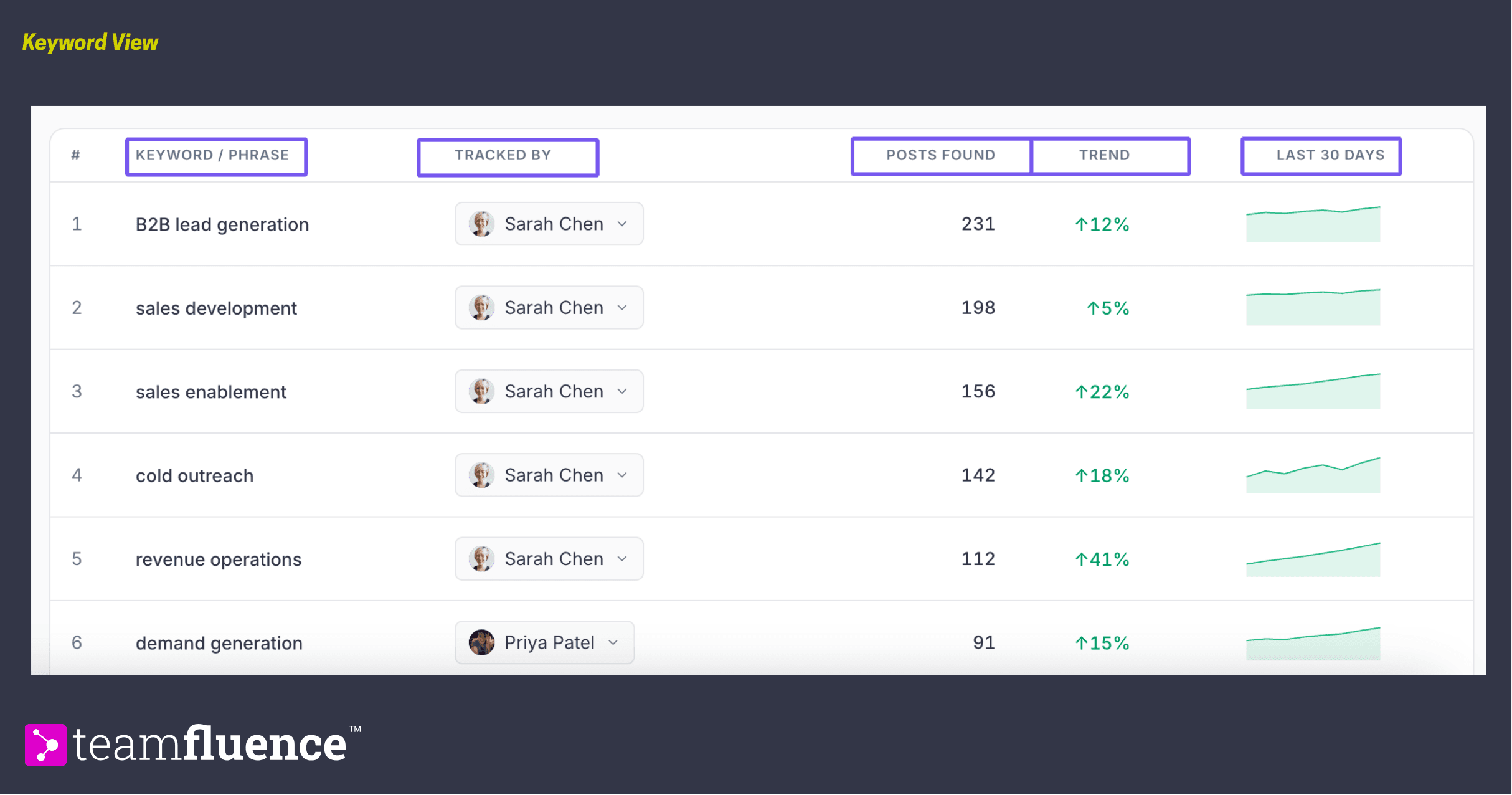
Each row tells you how a keyword is performing:
- Keyword / phrase. The word or phrase you are monitoring.
- Tracked by. The teammate responsible for this keyword. Change it anytime using the dropdown on the row.
- Posts found. How many posts Pulse has surfaced with that keyword across the whole time you have monitored it.
- Trend. Whether the keyword is being mentioned more or less over the last 30 days, shown as a percentage change. A green up arrow means mentions are rising.
- Last 30 days. A small chart of activity over the past month, so you can see the shape of the trend at a glance.
To stop monitoring a keyword, click the three-dot menu on the keyword's row and select Remove from tracking.
Search and sort
- Search keywords. Find a specific keyword or phrase.
- Sort. Reorder the list. The default is Most posts. The other options are Keyword A–Z, Trend ↑, and Trend ↓.

Choose which posts to track
Monitoring a keyword surfaces posts, but it does not track them automatically. You decide which posts are worth catching signals from.
- Click a keyword.
- Pulse opens a curated feed of the latest posts where it spotted that keyword.
- Choose which posts to track.
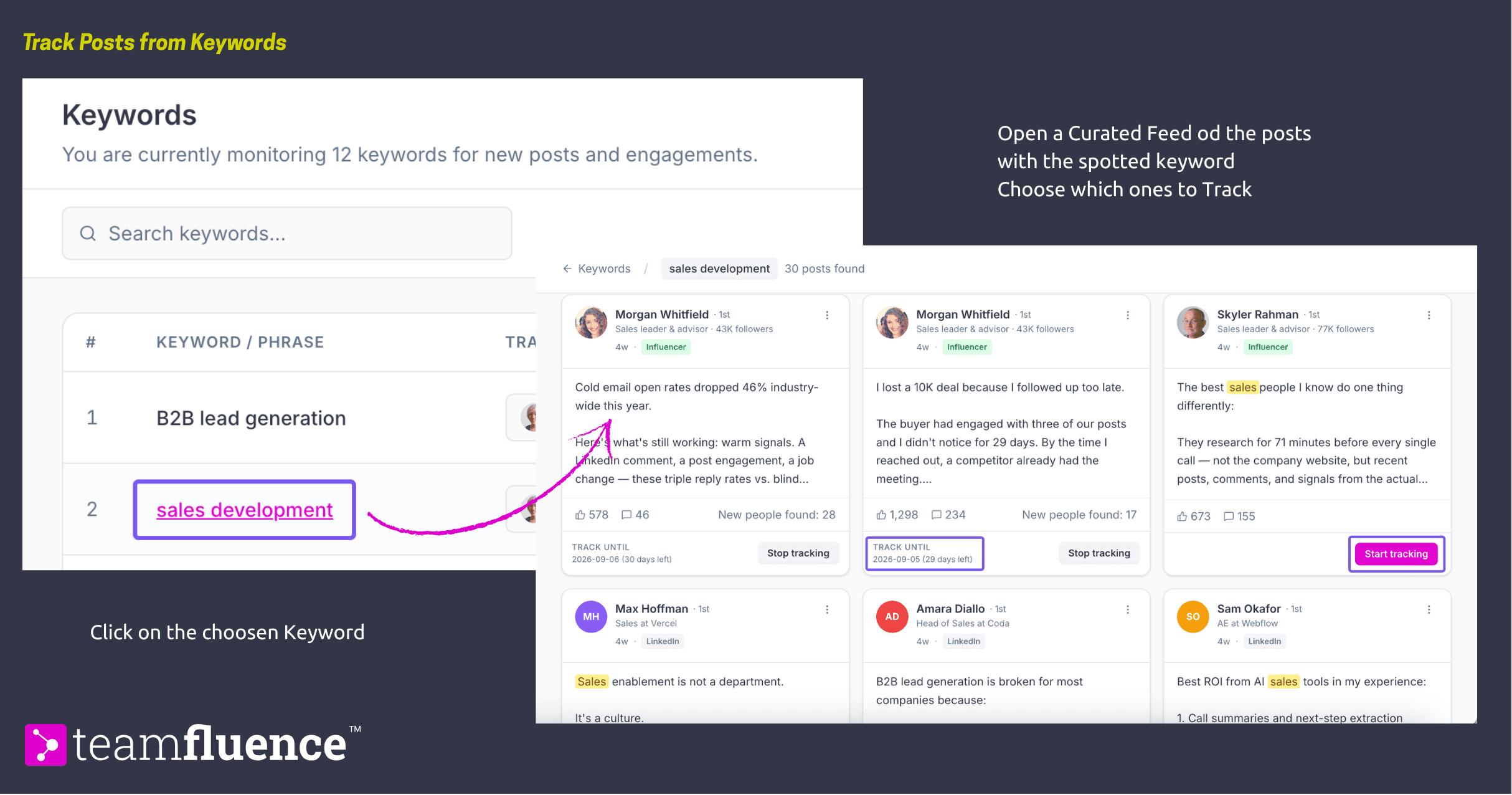
Once you track a post, Pulse captures everyone who reacts to or comments on it and adds them to your People view as Tracked Post Reaction or Tracked Post Comment signals. These posts also appear in the Posts section under All, alongside your other tracked posts.
Tracking runs for the same window as any tracked post, usually two months, and can be renewed the same way.
How keywords feed your People view
Every person who engages with a tracked keyword post becomes a record in your People view, the same as any other tracked post. This is what turns a topic you care about into real contacts you can act on.