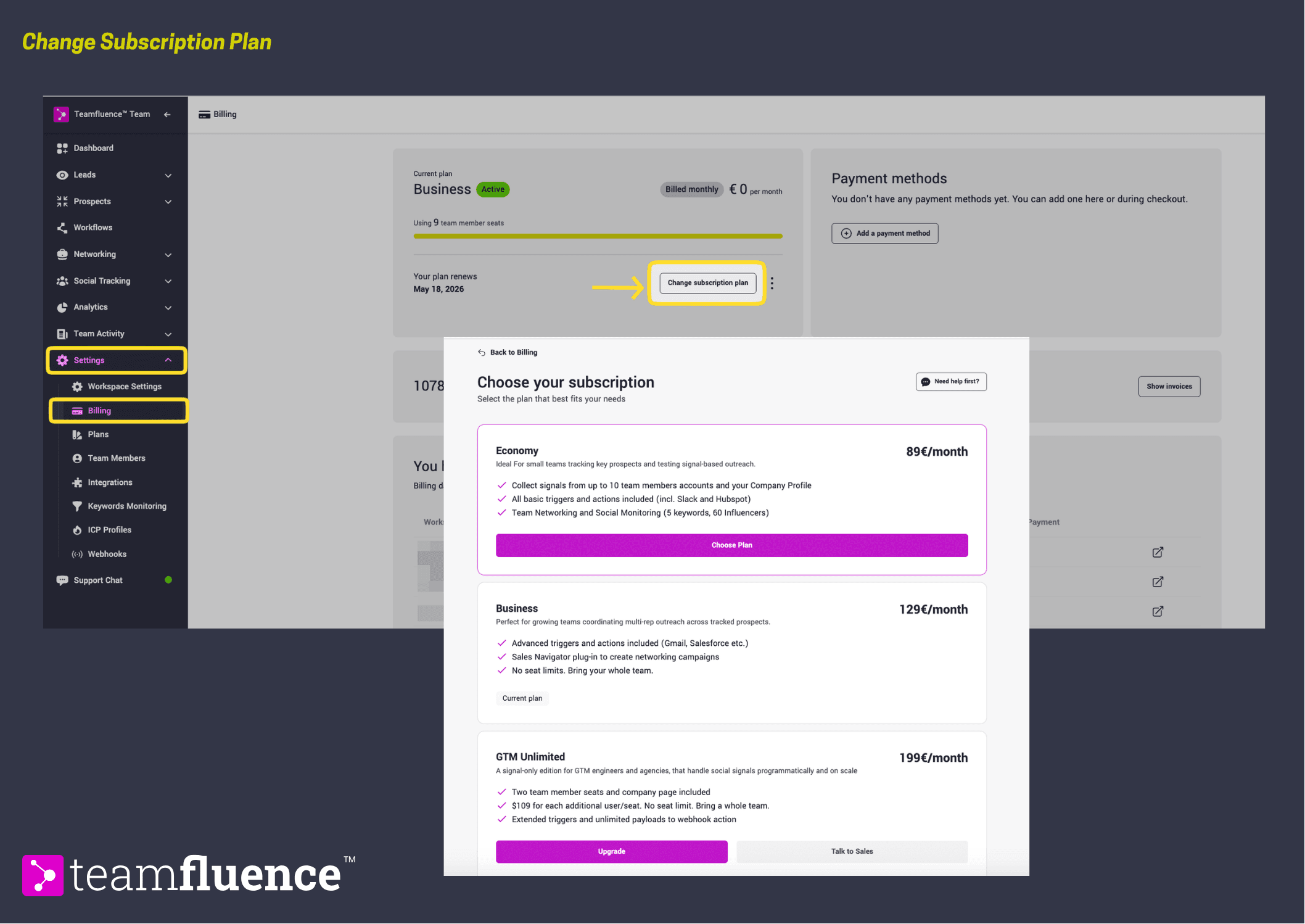
All billing is managed from Settings → Billing inside your Teamfluence workspace. From there you can access the Stripe customer portal to update payment details and manage your subscription.
How to change your plan
- Go to Settings → Billing.
- Click Change Subscription Plan and select the plan you want to move to.
- Confirm the change. The new plan takes effect immediately.
If you are unsure which plan is right for your team, reach out via the support chat in the sidebar.
How to update your billing information
- Go to Settings → Billing.
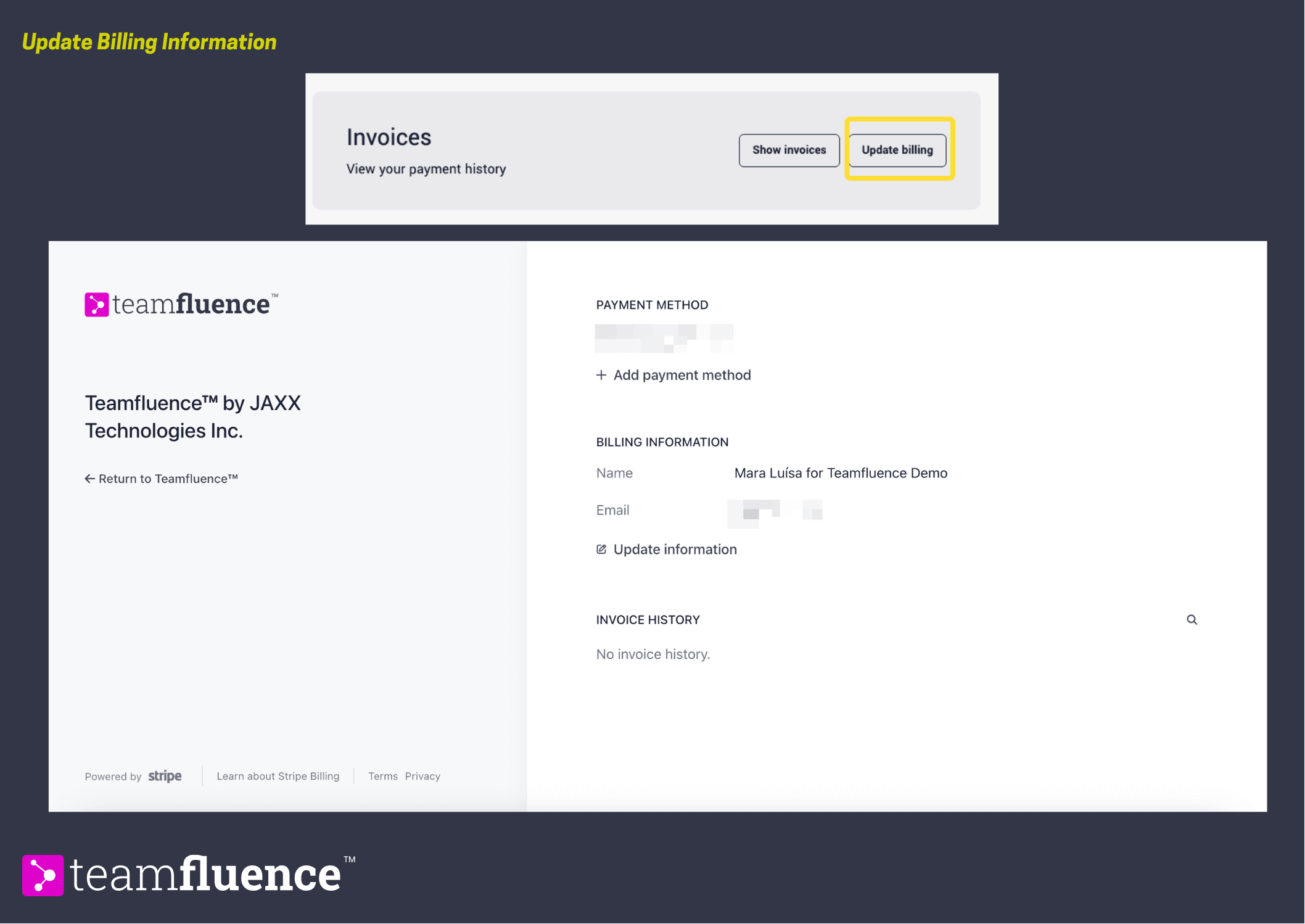
- Go to the Invoices Section. Click on Update Billing
- You'll be redirected to your Stripe customer portal where you can update your card or billing details.
- Save your changes.
How to update a payment method
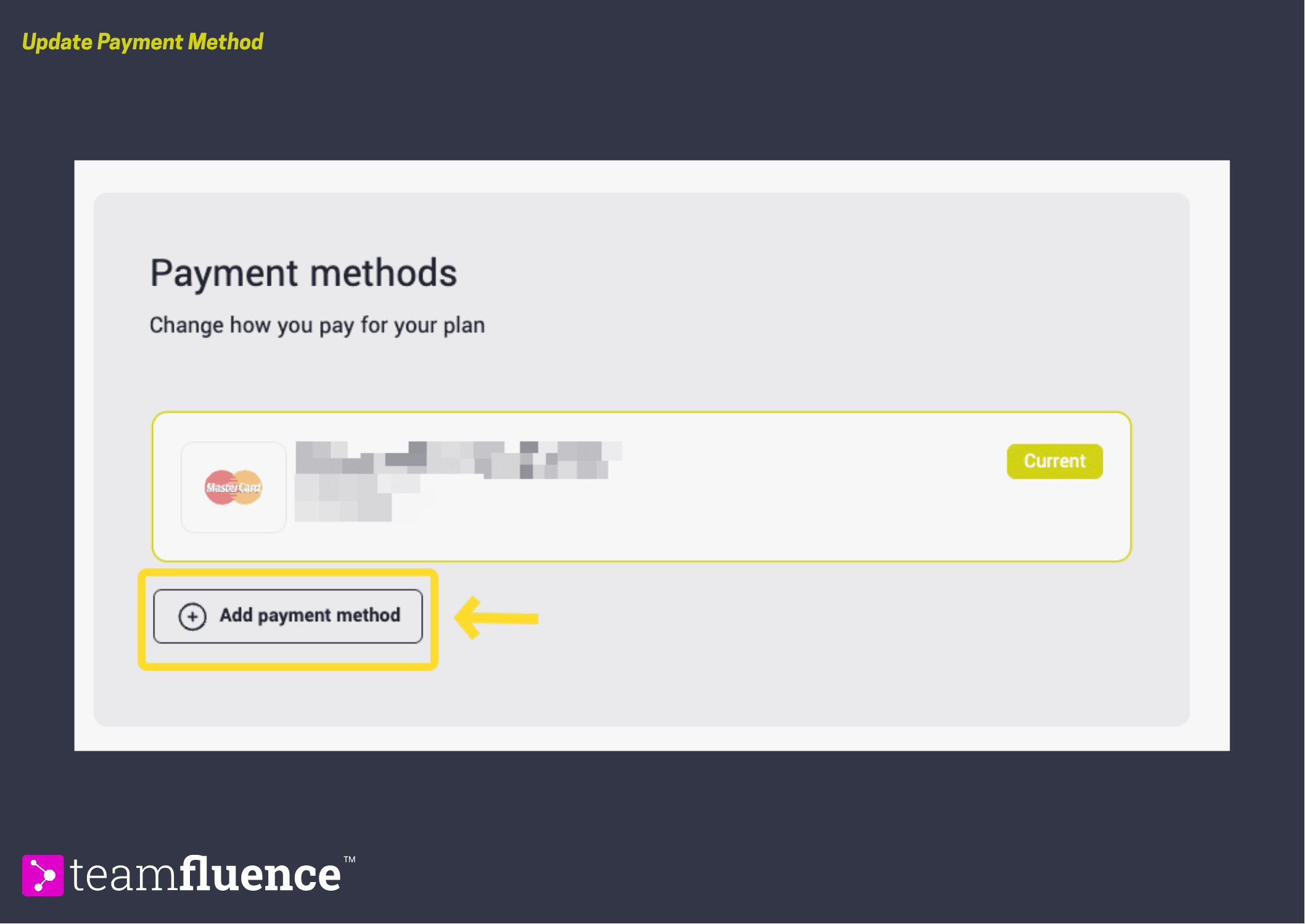
- Go to Settings → Billing. And Payment methods section.
- Click Add Payment Method and enter your card details.
- Set it as the default payment method if needed.