How to configure keywords to track mentions in your contacts' feeds
How to Set Ket Keywords
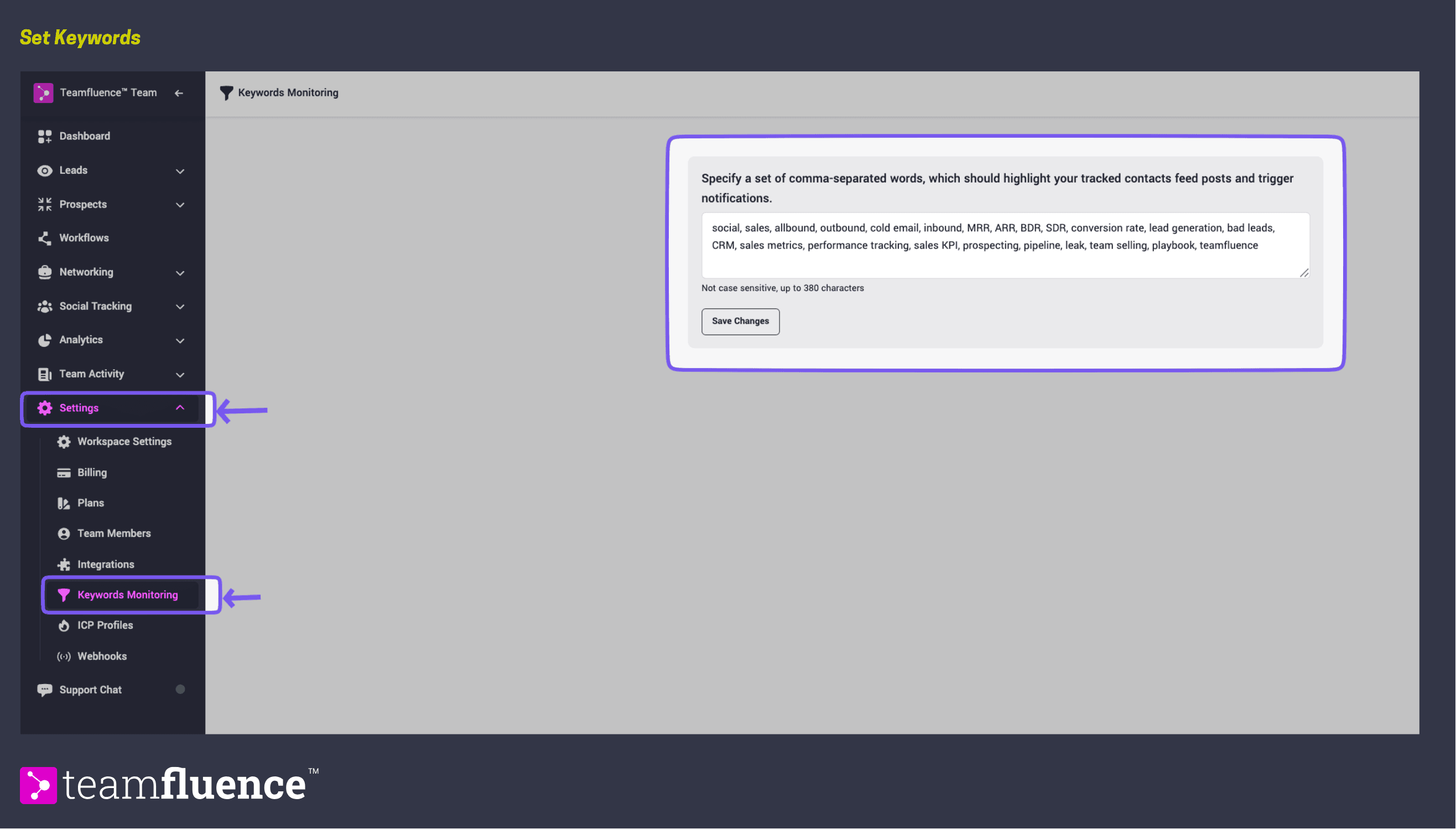
Teamspace administrators can configure a set of keywords in the ** Settings → Keyword Monitoring** page. Whenever these keywords appear in social posts from your tracked contacts, they will be highlighted.
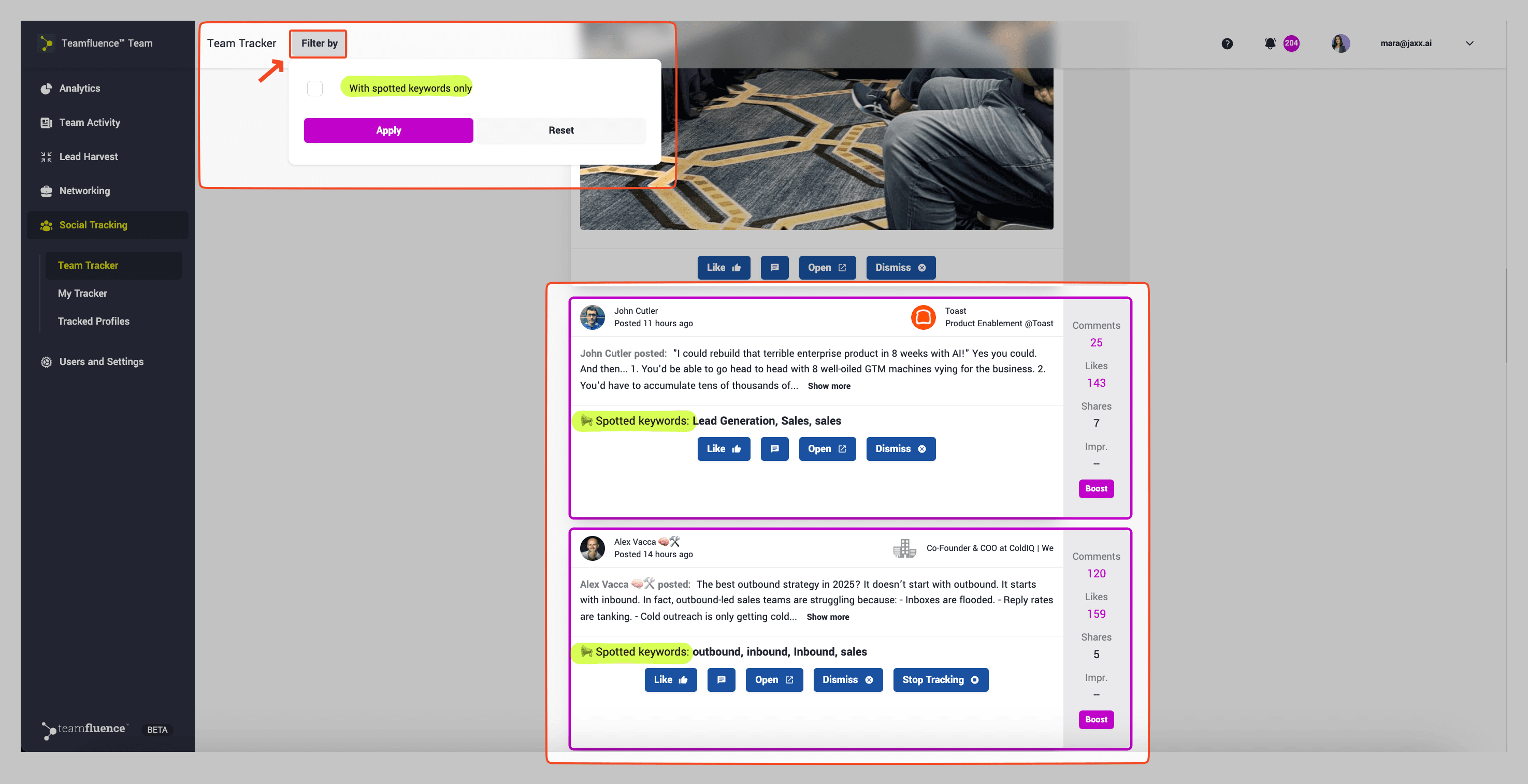
Once set up, all tracked contact feeds in your Teamspace will be monitored for these keywords. You’ll see highlighted posts and you can filter the Feeds for Spotted Keywords only.
How to Receive Updates in Slack
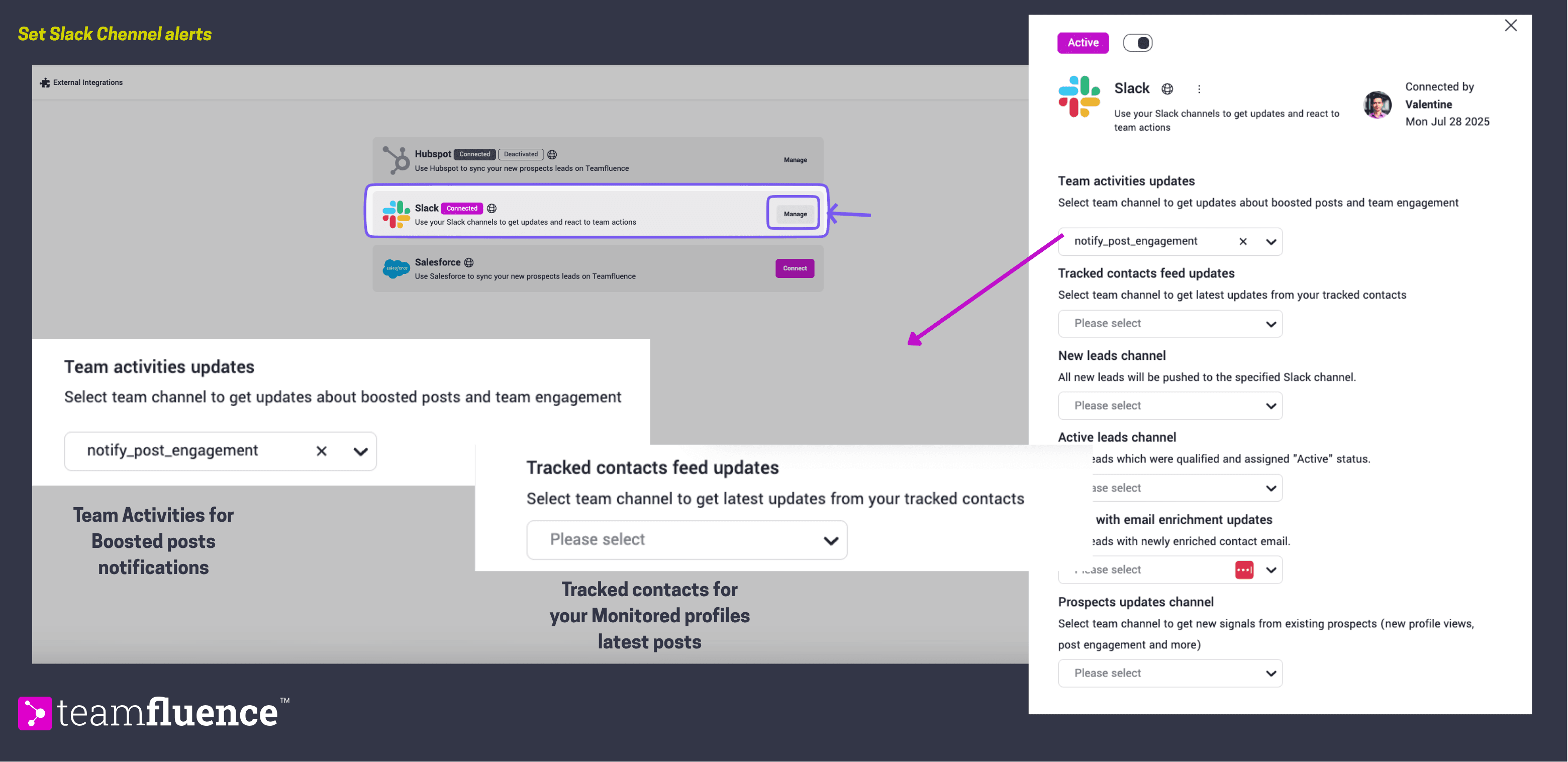
If your Teamspace is connected to Slack, you can choose how to receive keyword notifications:
1- Team Updates – Configure a Slack channel for the team to receive Tracked Contacts alerts. Manage this in the Settings → Integrations page.
2 - Boosted posts alerts When you boost a post from a tracked contact, you can set a Slack channel to receive an immediate alert so your team knows to engage with it right away. This is useful for posts you want the whole team to react to quickly - a key account's announcement, a competitor's launch, or a thought leader's post gaining traction.