
Qualify every new lead against your ICP and route them automatically - connected matches get a direct message, unconnected matches get a connection request.
When to use this template
Use this template if you are tracking inbound LinkedIn signals across multiple sources (post engagement, profile visits, company follows) and want a single workflow to handle both qualification and first-touch outreach based on connection status.
How it works
When a new lead enters Teamfluence, the workflow checks whether they match your ICP. If they do not match, nothing happens. If they do match, it checks whether you are already connected with them on LinkedIn. Connected ICP matches receive a direct message. Unconnected ICP matches are added to a networking campaign so a connection request goes out first. Trigger: New lead Action: Match with ICP Agent Filter 2: Connected with team member
If true → Send LinkedIn DM (from the connected team member) If false → Add to networking campaign
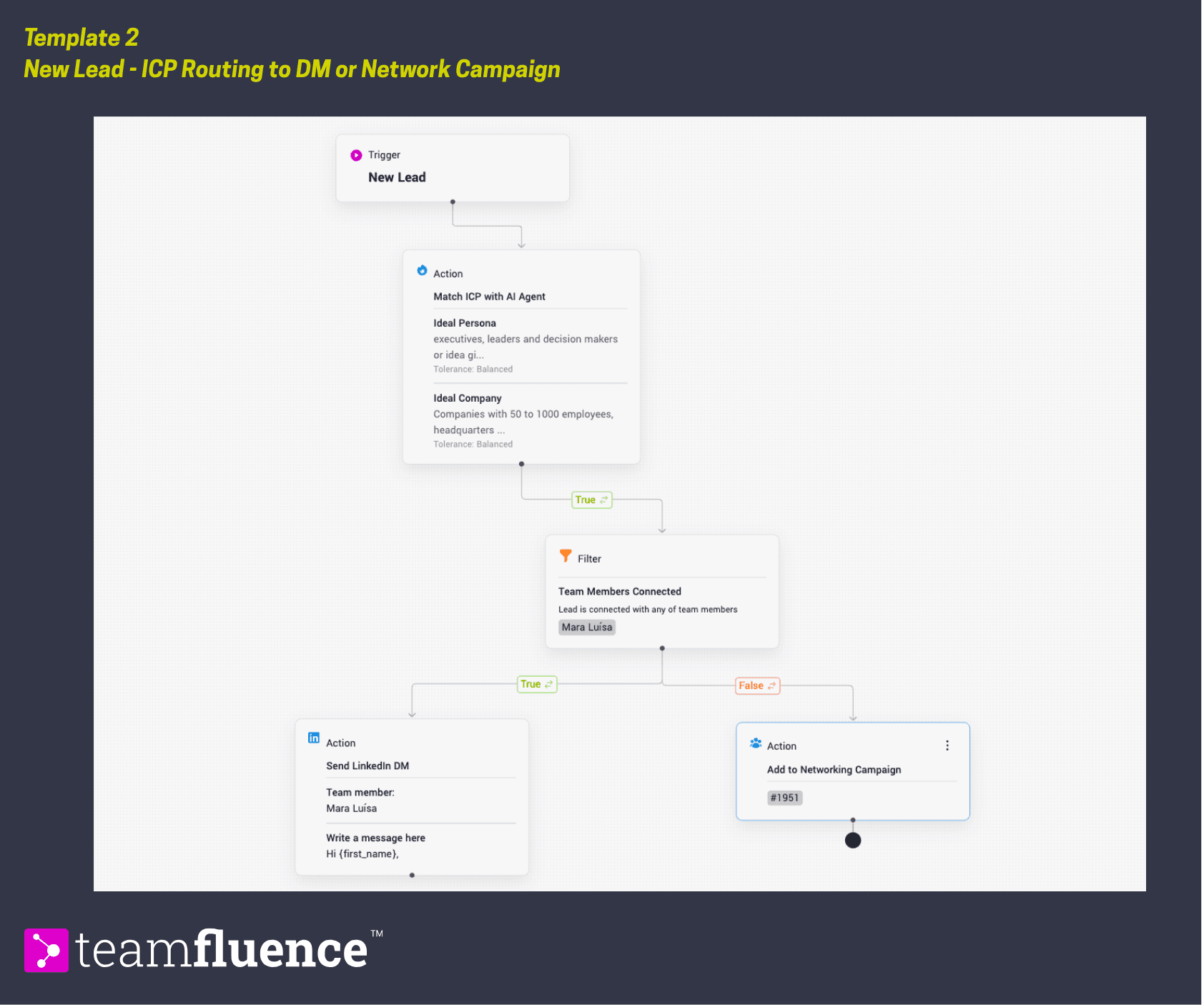
Requirements Before activating this template, make sure:
Your ICP is defined in workspace settings so the match filter has criteria to work with At least one networking campaign is set up and ready to receive leads You have reviewed LinkedIn's guidelines on direct messages to avoid triggering account limits
How to activate
- Go to Workflows in the left sidebar and click Create Workflow.
- Follow the instructions above or click Import Template and upload the template file below.
- Select which networking campaign unconnected leads should be added to.
- Write the DM copy that will be sent to connected matches.
- Click Activate to set the workflow live.