Every plan includes a monthly credits allowance that refreshes at the start of each billing cycle. Credits are consumed by two actions:
AI Agent run: 1 credit each time the AI Agent qualifies a lead against your ICP
Email enrichment: 1 credit per successful email enrichment. You are only charged if a verified email address is found. If no email is found, no credit is deducted.
If your workspace runs out of credits before the end of the month, these actions will pause until you purchase additional credits or your allowance resets.
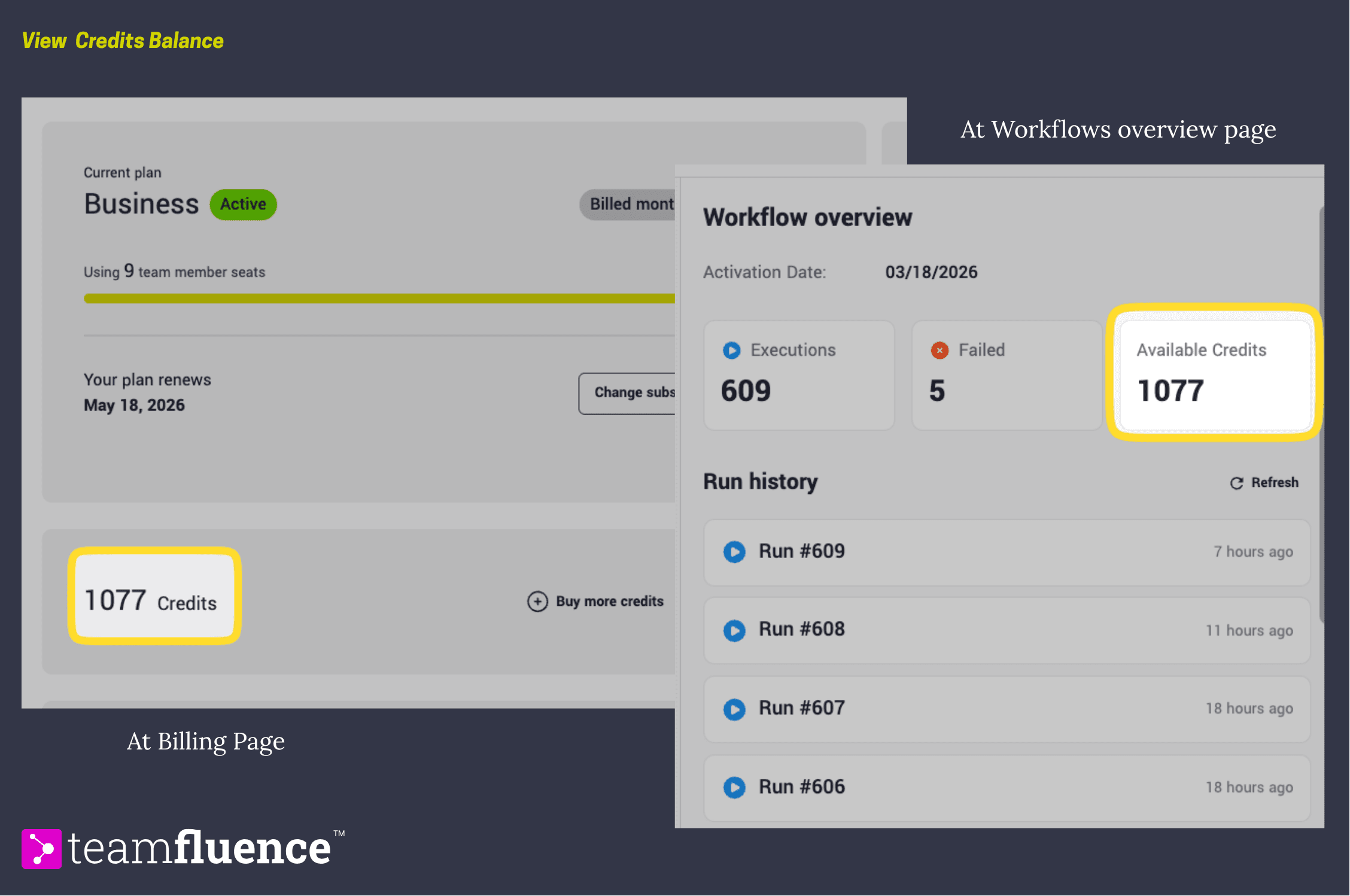
How to check your current credits balance
- Go to Settings → Billing.
- Your current balance and monthly allowance are displayed in the Credits section.
- Or directly inside Workflows, since credits are consumed when workflow actions run.
How to buy additional credits
Additional credits are available in packages of 1,000.
- Go to Settings → Billing.
- Find the Credits section and click Buy Credits.
- Select the number of packages you need and confirm the payment.
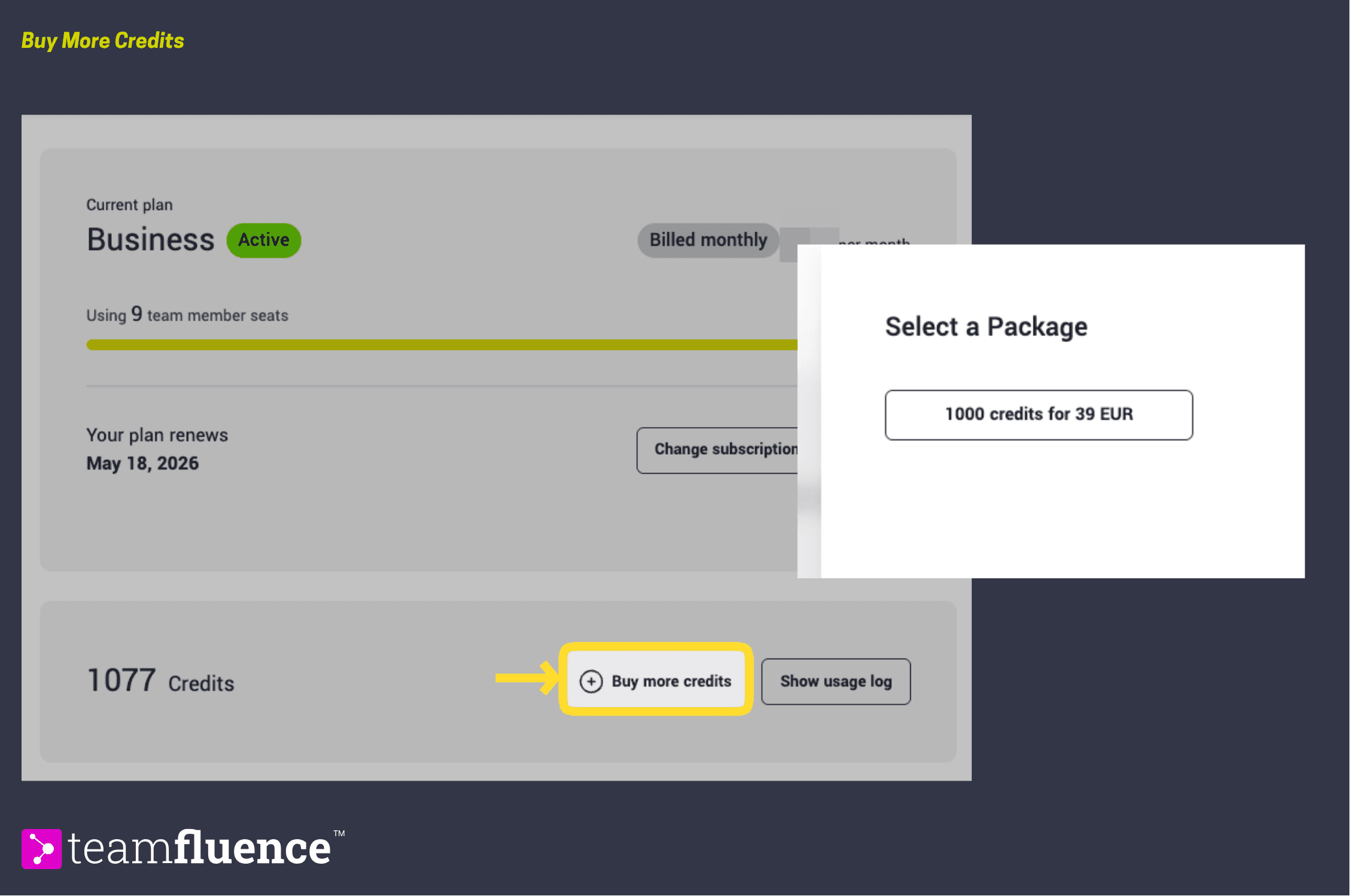
Your credits balance updates immediately after purchase.
How to view your credits usage history
- Go to Settings → Billing.
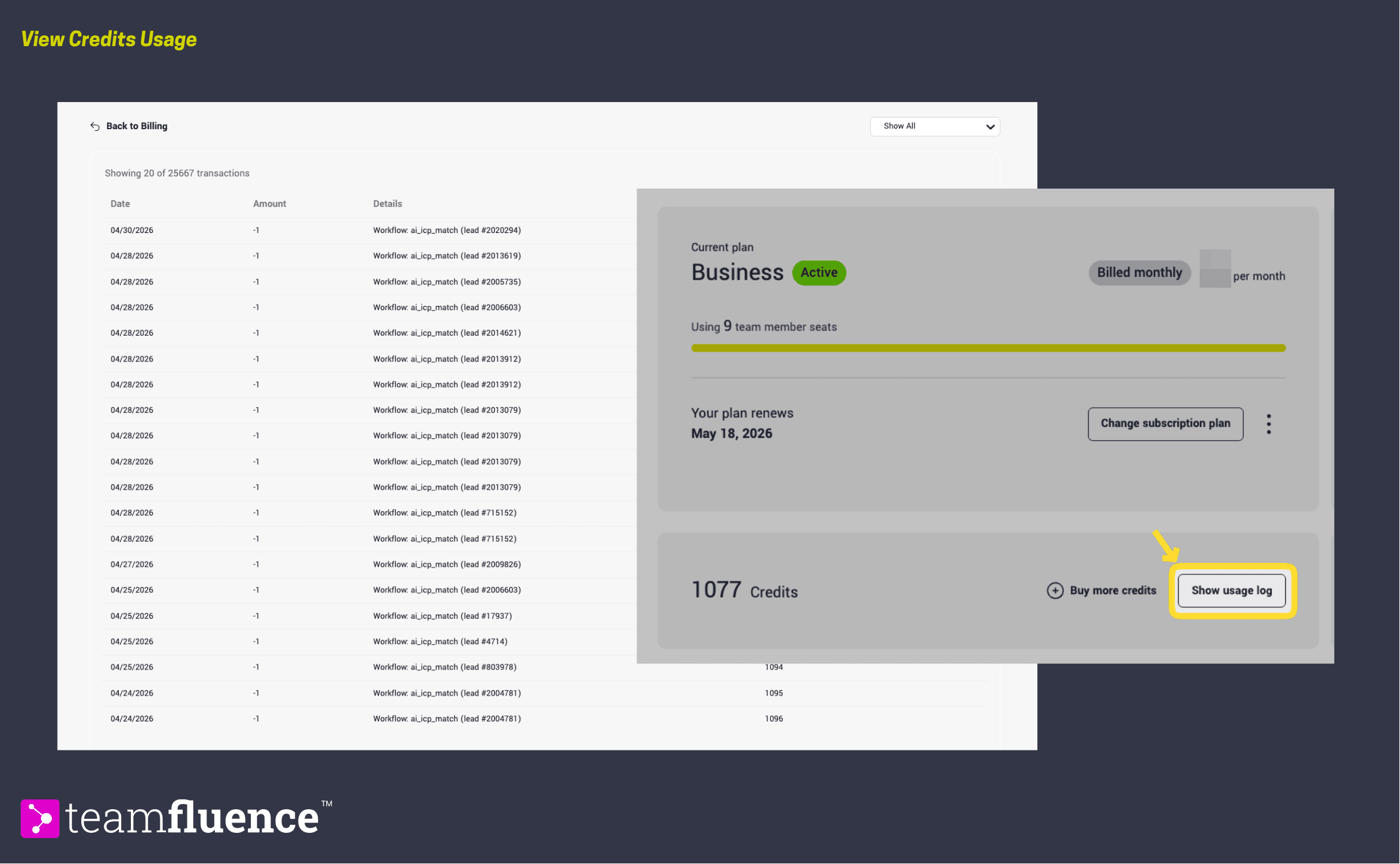
- Click Show usage log to see a breakdown of how credits have been spent, including which actions consumed them and when.