
Respond to every new company page follower who matches your ICP — with a direct message if connected, or a connection request if not.
When to use this template
Use this template if your company page is actively generating followers and you want to convert that brand interest into direct conversations without manually reviewing the follower list each day.
How it works
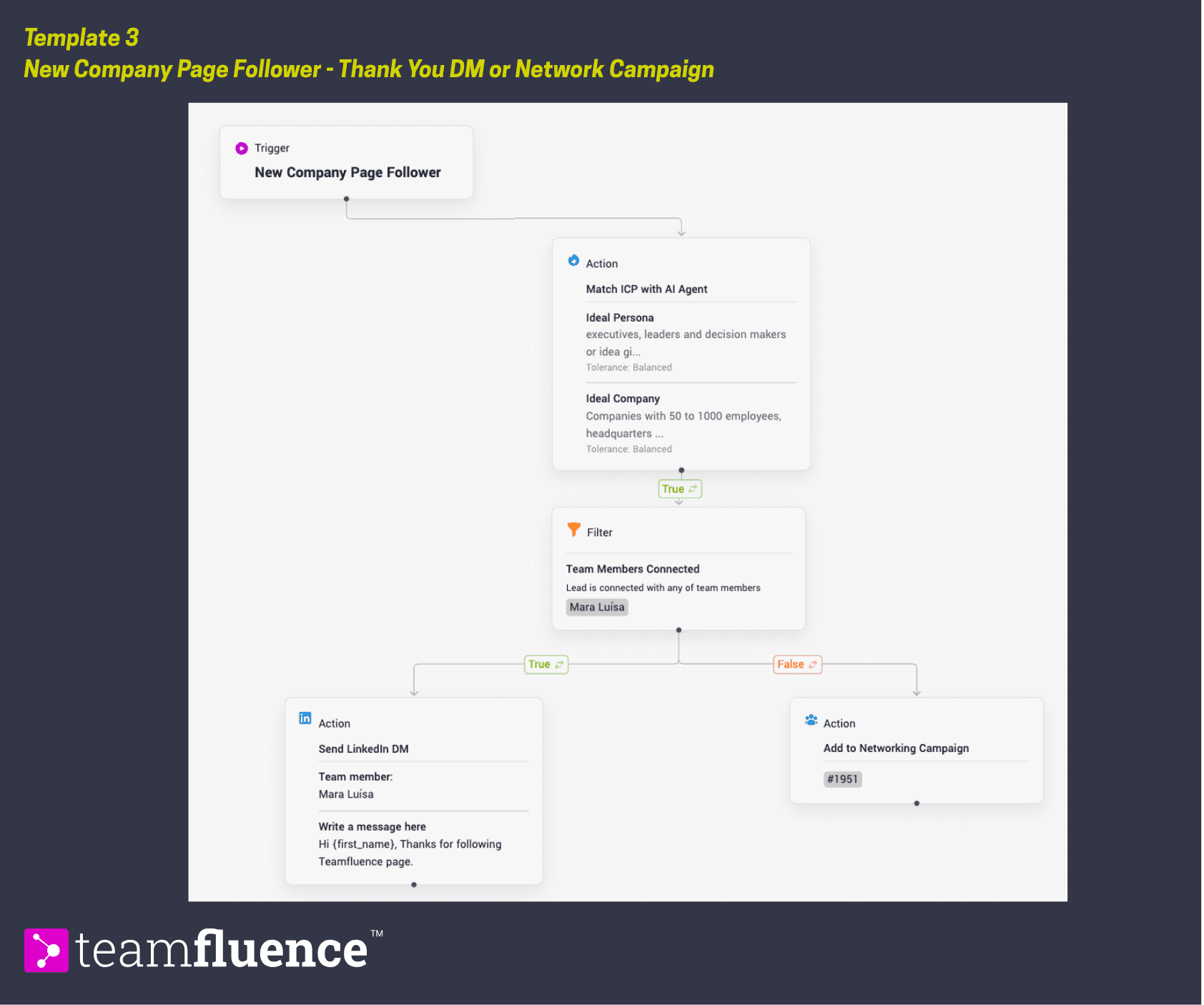
When someone follows your company page, the workflow checks whether they match your ICP. Non-matches are ignored. For ICP matches, it then checks connection status. Those already connected receive a personalized thank-you message. Those not yet connected are added to a networking campaign so a connection request goes out first. Most teams miss company page followers entirely because acting on them requires a manual step. This workflow eliminates that step.
Trigger: New company page follower
Action: Match with ICP Agent
→If true
**Filter **: Connected with team member
If true → Action: Send "thank you" DM
If false → Action: Add to networking campaign
Requirements
Before activating this template, make sure:
- Your company LinkedIn page is connected to your Teamfluence workspace
- Your ICP is defined in workspace settings or create a new one while building this workflow.
- At least one networking campaign is set up and ready to receive leads
- You have a thank-you DM message prepared that feels personal, not automated
How to activate
- Go to Workflows in the left sidebar and click Create Workflow.
- Click Import Template and upload the template file below.
- Select which networking campaign unconnected followers should be added to.
- Write the thank-you DM for connected followers.
- Click Activate to set the workflow live.