
Teamfluence is built around workspaces. For agencies, the workspace structure is what keeps client data clean, separate, and manageable at scale.
The core principle: one workspace per client
Each workspace in Teamfluence belongs to one company. The signals, ICP settings, leads, campaigns, and workflows inside a workspace are specific to that company. Mixing clients inside a single workspace creates data overlap — different ICP criteria, different signal sources, different leads - and quickly becomes unmanageable. As an agency, you will have:
- Your own agency workspace- for your team's signals and outreach
- One separate workspace per client - each isolated, with its own settings and data
- A dedicated Slack channel - for dedicated support from the entire team while onboarding new clients
What agency features unlock
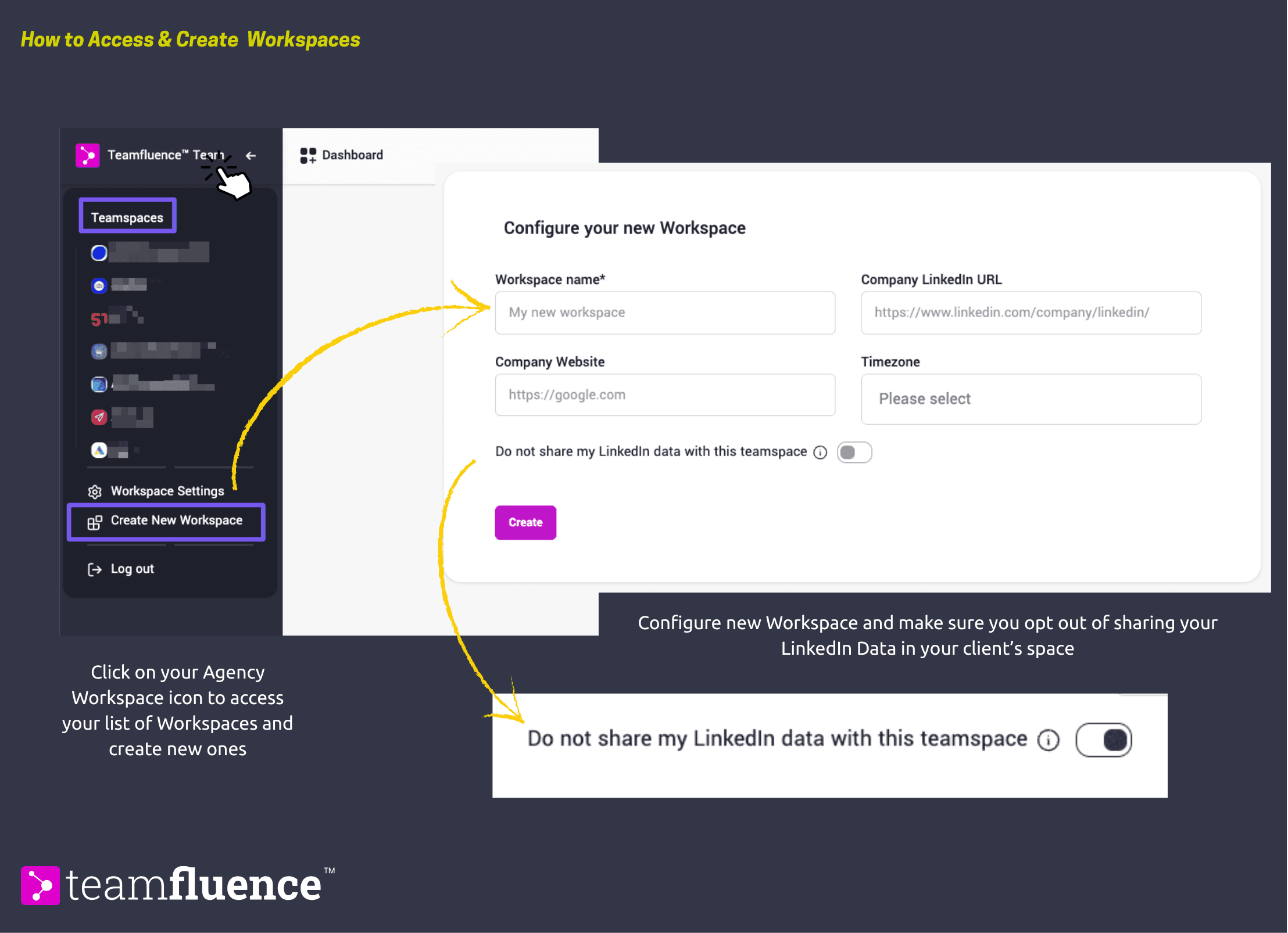
With enabled agency features on your account, you can create new team spaces directly from your workspace switcher. Without agency features enabled, you can only operate within a single workspace. To get agency features enabled, contact the Teamfluence team.
How the workspace switcher works
Once you have multiple workspaces, you can switch between them from the top of the sidebar. Each workspace is completely independent - switching workspaces changes the leads, signals, campaigns, and settings you are looking at. Nothing carries over between workspaces.
Your role inside client workspaces
When you create a client workspace, you need to make sure you are added as a hidden user. This means you can manage the workspace - review leads, build workflows, run campaigns - without your own LinkedIn signals mixing into the client's data. Each client workspace then has its own active users: the LinkedIn profiles whose signals are being tracked. These can be the client themselves, or profiles you manage on their behalf.
How billing works for agencies
Each workspace requires its own subscription. As an agency, you pay for:
- Your own agency workspace
- A separate subscription for each client workspace, based on the number of active users in that workspace
| An active user is a LinkedIn profile whose signals are being collected. Admin or hidden users who manage the workspace without contributing signals do not count as active seats.
If you are onboarding multiple clients, contact the Teamfluence team to discuss agency pricing options.