
Lead Monitoring in Teamfluence
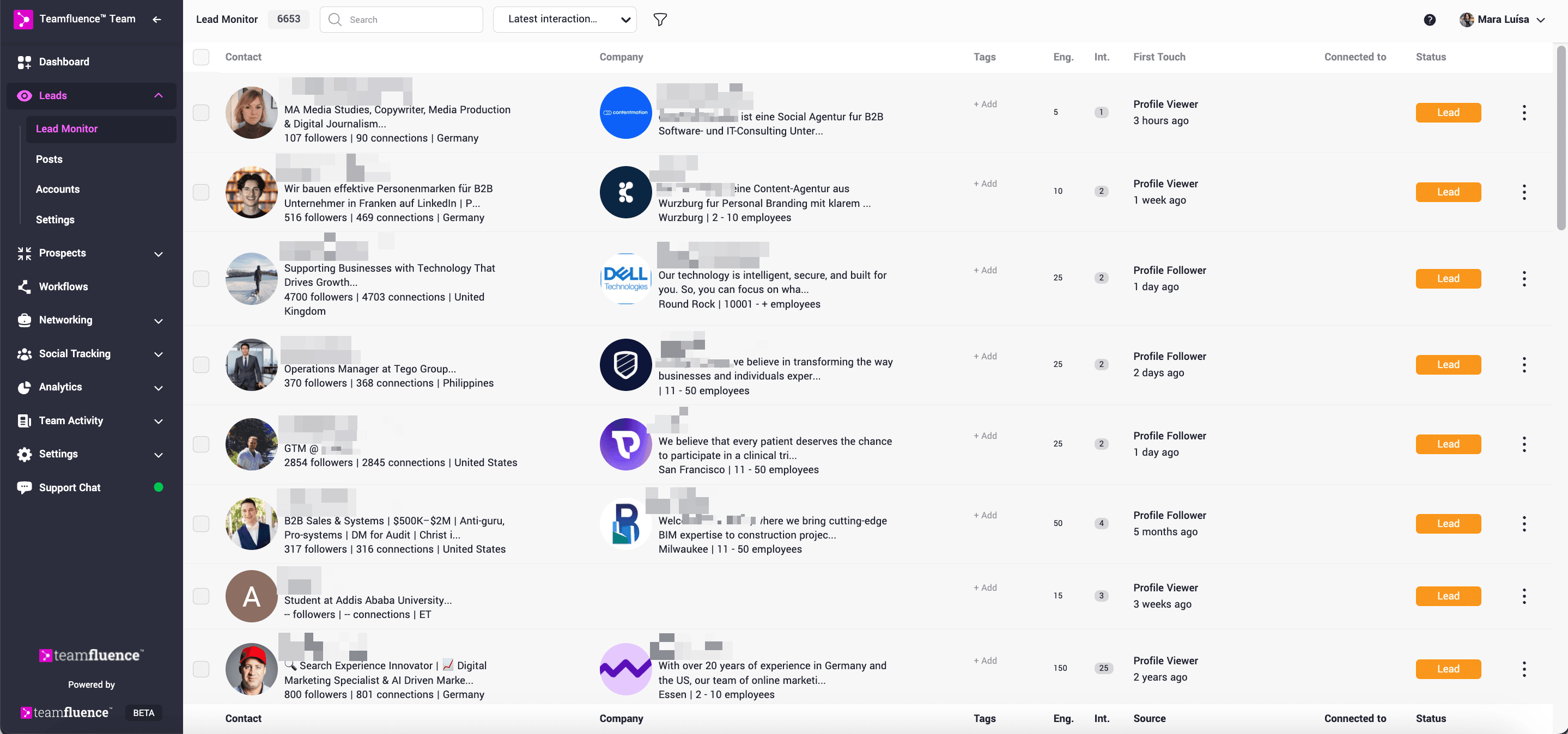
Lead Monitor is a core feature in Teamfluence that helps you recognize and understand the intent signals of your potential customers on LinkedIn.
By gathering and centralizing engagement data, it gives you a clearer picture of who is showing interest in you, your content, or your company, and why that matters for your sales and marketing strategy.
Why Lead Monitoring Matters
In B2B sales, attention is currency. People who view your profile, react to a post, or engage with your company’s LinkedIn page are signaling interest - even if they haven’t reached out directly.
Lead Monitoring helps you:
Spot warm leads earlier by tracking subtle intent signals.
Prioritize your outreach with engagement insights.
Align your team by consolidating all LinkedIn interactions in one shared space.
What Teamfluence Monitors
Lead Monitoring gathers data from a range of LinkedIn interactions, including:
- Profile viewers – People who visit your LinkedIn profile.
- New connections – Freshly added LinkedIn connections.
- Post reactions and comments – Engagement with your own posts or tracked posts.
- Company page interactions – Activity on your company’s LinkedIn page.
These signals are more than numbers - they provide context about who is interested and how engaged they are.
Check the full list of signals we track: https://teamfluence.com/social-signal-library
How Lead Monitoring Works
1. Capturing Signals
Teamfluence collects data from your LinkedIn activity, your Company Page LinkedIn engagement and any posts you choose to track.
2. Centralized Monitoring
All signals flow into the Monitor where you can review, filter, and prioritize leads.
3. Qualification and Scoring
- AI Qualification – An AI agent compares new leads against your Ideal Customer Profile (ICP) to suggest qualification.
- Manual Qualification – You can override AI decisions and manually qualify leads as “prospect”
Qualified leads then move into Prospect Tracker
4. Engagement Score
Every lead automatically receives an Engagement Score, allowing you to quickly identify your most active leads.
You can also customize the scoring criteria by navigating to:
Leads → Settings → Monitoring tab (https://my.teamfluence.app/settings/harvest)
5. Filtering and Sorting
Within the Monitoring tab, you can organize signals by:
ICP matches
Target accounts (account-based filters)
Number of interactions
Engagement score
Newest first
Source of the signal
Integrations and Workflows
Lead Monitoring doesn’t exist in isolation. You can integrate its data into your broader sales and marketing workflows:
- CRM integration – Sync leads with HubSpot or Salesforce via workflows.
- Webhooks – Trigger automations when certain events occur (e.g., new Prospect).
- Slack notifications – Get notified when high-priority contacts engage with your content.
Key Benefits
- Targeted lead generation – Focus only on the people who are already engaging.
- Streamlined outreach – Automate qualification and CRM updates.
- Improved prioritization – Use AI and engagement scoring to find the most promising leads.
- Collaboration made easy – Centralize signals for the whole team, ensuring no lead slips through the cracks.