
Catch the moment an existing lead re-engages with your content, enrich their email, and route them to your CRM or Slack based on email enrichment status.
###When to use this template Use this template if you have an active CRM integration and want re-engagement signals from existing leads to automatically update pipeline records. It is particularly useful for teams who want their sales team to be notified in Slack the moment a warm lead resurfaces but that we were not able to enrich with email, for manual review.
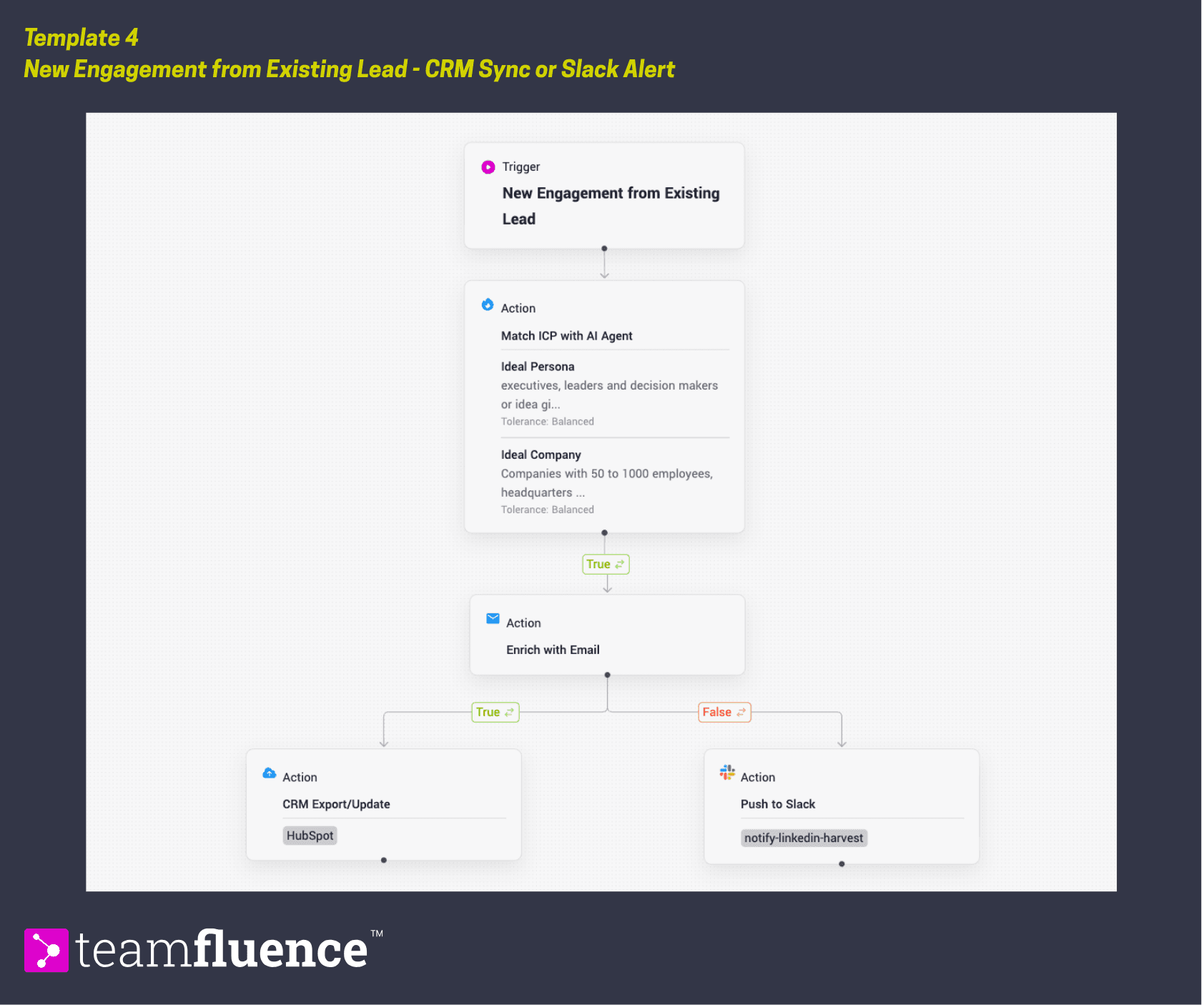
###How it works When a lead already in your system engages with your content again, the workflow treats that as a high-intent signal. It checks whether they match your ICP and enriches their email for follow-up readiness. ICP matches are synced to your CRM so the record is updated and visible to your sales team. Leads that engage but email enrichment was not completed, are routed to Slack for manual review.
Trigger: New engagement from existing lead
Action: Match with ICP Agent
→If true
Action : Enrich with email
Email enrichment is tue → Action: Sync to CRM
Email enrichment is false → Action: Send to Slack
Requirements
Before activating this template, make sure:
- A CRM integration is configured (HubSpot or Salesforce)
- Slack is connected to your workspace
- Your ICP is defined in workspace settings
How to activate
- Go to Workflows in the left sidebar and click Create Workflow.
- Follow the steps above or click Import Template and upload the template file below.
- Confirm which CRM and Slack channel should receive the routed leads.
- Click Activate to set the workflow live.