
The most complete new-lead workflow. Filters for ICP and ABM match, enriches email, syncs to your CRM, and alerts your team in Slack. All in one automation.
When to use this template
Use this template when you are running structured account-based outreach and a new lead at a target account should trigger an immediate cross-functional response. It is the highest-signal workflow for teams with an ABM account list, a CRM integration, and Slack connected.
How it works
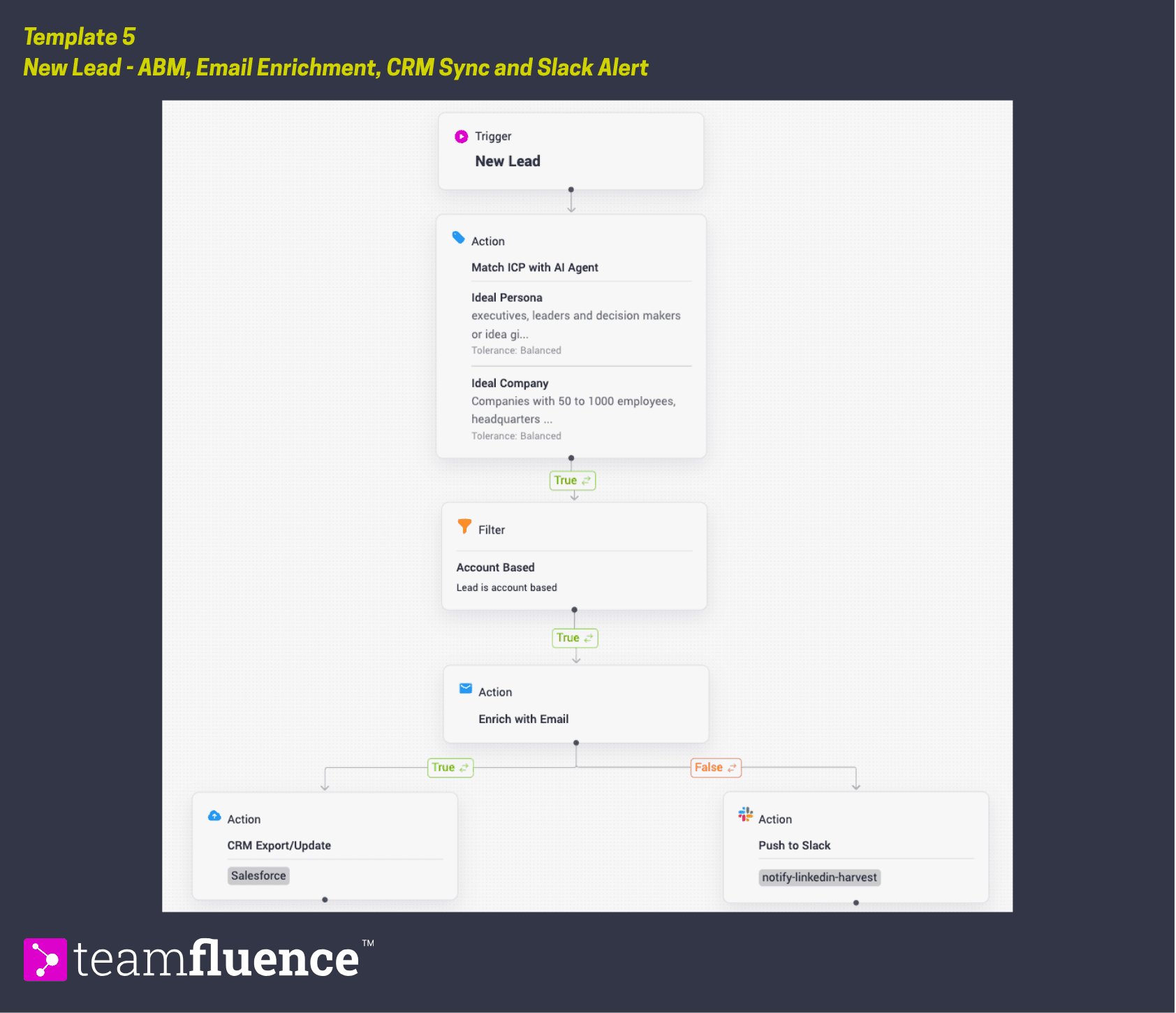
When a new lead enters Teamfluence, the workflow runs them through two qualification layers: ICP match first, then ABM account match. Leads that pass both filters are enriched with email for multi-channel follow-up, synced to your CRM so the record is up to date, and sent to Slack the ones we could not email enrich so the relevant team member can act immediately. This is the most complete new-lead workflow available. It is designed for teams where a high-value signal should trigger action across multiple tools at once.
Trigger: New lead
Action: Match with ICP Agent
→ If true
Filter: Lead is ABM
Action: Enrich with email
If Email Enrichment is true: Action Sync to CRM
If Email Enrichment is true: Action: Send to Slack
Requirements
Before activating this template, make sure:
- Your ABM account list is uploaded to Teamfluence
- A CRM integration is configured (HubSpot or Salesforce)
- Slack is connected to your workspace
This template requires all three integrations to be active. If any are missing, the relevant action will not fire.
How to activate
- Go to Workflows in the left sidebar and click Create Workflow.
- Follow the setps above or click Import Template and upload the template file below.
- Confirm the CRM and Slack channel destinations.
- Verify your ABM account list is current before activating.
- Click Activate to set the workflow live.